TL;DR
- CaptivateIQ reviews are strong, but they only mean something read through your own plan complexity, data maturity, and Finance needs.
- Pricing is quote-based, with no public number, so cost drivers and contract terms deserve direct validation before you sign.
- The real test is a demo built on your messiest real plan, not the vendor's polished sample data.
- Bring RevOps, Finance, Sales leadership, and IT into the evaluation together, since each sees a different side of the platform.
- If rep visibility, admin control, and AI-assisted comp operations matter most, Everstage is worth comparing directly against your real scenarios.
Book a demo with Everstage to see the results yourself.
If you're reading this, you've probably moved past the "what is sales comp software?" stage. You're not trying to understand the category anymore. You're trying to decide whether CaptivateIQ is the right system to run your commissions at scale, without breaking payroll, Finance controls, or rep trust along the way.
That's a different question, and it deserves a different answer.
Public CaptivateIQ reviews can genuinely help here. But they only mean something when you read them through your own context, things like your company size, your plan complexity, how mature your CRM and data are, the Finance controls you need, and how much visibility your reps expect. A glowing review from a team nothing like yours can quietly point you in the wrong direction.
So we'll walk through the parts that actually shape a buying decision: the customer reviews themes worth validating, the pricing realities, the features to test, the benefits and trade-offs, and the questions to ask before you shortlist.
How to Read CaptivateIQ Reviews Without Over-Weighting the Loudest Voices
Though review sites are useful, they should just be one of the factors in your buying decision. Don't make it the only one.
A five-star review from a 100-person SaaS company with a single AE commission plan may not map to a 2,000-person enterprise handling overlays, accelerators, clawbacks, split credits, and multi-currency payouts. Both reviews can be completely honest. Though both reviews are honest, only one is relevant to you.
Before you draw conclusions, pull the latest ratings and review counts yourself. Check the G2 CaptivateIQ page, Capterra CaptivateIQ page, and, if enough enterprise reviews exist, Gartner Peer Insights and TrustRadius.
Ratings and themes shift over time, so anchor whatever you cite to a date, for example "as of July 2026."
Review Source: What Each Site Is Good For
- G2: Useful for review volume, role-based reviewer context, implementation comments, and side-by-side competitor comparisons.
- Capterra / GetApp / Software Advice: Useful for SMB and mid-market feedback, ease-of-use notes, and support sentiment.
- Gartner Peer Insights: Useful when enough enterprise reviews exist. Better suited to large-company procurement and IT validation.
- Vendor website: Useful for positioning and customer logos, but always balance it against third-party review sites.
Reviewer Role: Why RevOps, Finance, and Sales See Different Things
The same product earns very different reviews depending on who's writing them.
- RevOps: Usually cares about CRM integration, plan operations, data mapping, exception handling, and cycle time.
- Finance: Usually cares about accuracy, controls, audit trails, accruals, approvals, and payout governance.
- Sales leadership and reps: Usually care about quota visibility, real-time earnings visibility, trust, and whether commission statements are actually easy to read.
When you read a review, check the role first. It tells you which lens the feedback is coming through.
Company complexity: The review filter that matters most
Sales comp tools feel completely different depending on how complex your plans are.
A single, clean AE commission plan is one experience. Ramp rules, split credits, overlays, SPIFs, draws, clawbacks, partner commissions, multi-currency payouts, and mid-year territory changes are another experience entirely.
The more moving parts your sales compensation plan has, the more weight you should give reviews from teams that operate at your level of complexity. In our experience, this single filter predicts satisfaction better than the star rating does.
CaptivateIQ Reviews: The Customer Feedback Themes Buyers Should Look For
CaptivateIQ receives strong ratings across major software review platforms. It holds a 4.7/5 rating on G2 based on more than 3,400 reviews. Capterra gives the platform a 4.8 out of 5 rating based on 874 reviews.
Before you quote or paraphrase any theme, confirm it against the current review pages. Resist the urge to cherry-pick a single dramatic review, good or bad.
Rep Visibility: Do Sellers Understand What They've Earned and What They Can Still Earn?

Watch for feedback on dashboards, statements, and payout visibility, especially the recurring "why did I get paid this?" question.
Sellers already lose time to non-selling work. The Salesforce State of Sales report has consistently highlighted how much of a rep's week goes to administrative and manual tasks rather than active selling. Confusing commission statements add to that drag. Good rep visibility reduces it.
Ease of Use: Do Admins Feel in Control After Implementation?
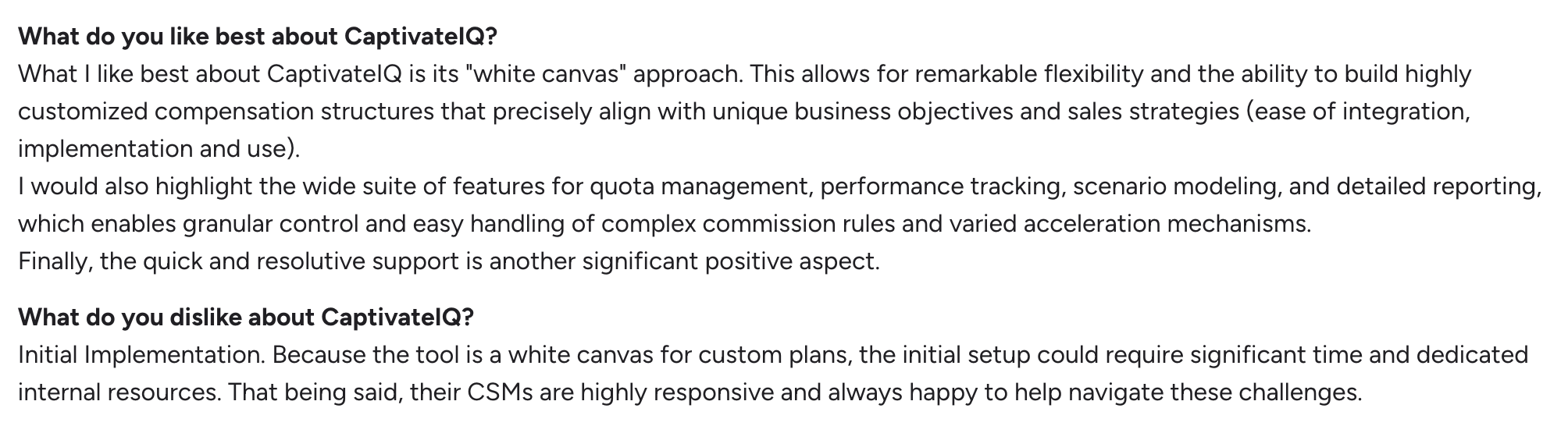
The theme to look for: can RevOps and Sales Comp teams manage plans on their own, without filing an engineering ticket for every change?
In practice, "ease of use" means the everyday work. Updating rates. Adding new participants. Handling plan exceptions. Testing calculations before they hit payroll. If admins feel dependent on outside help for routine tasks, that shows up fast in reviews.
Calculation Confidence: Can Teams Explain the Number, Not Just Produce it?
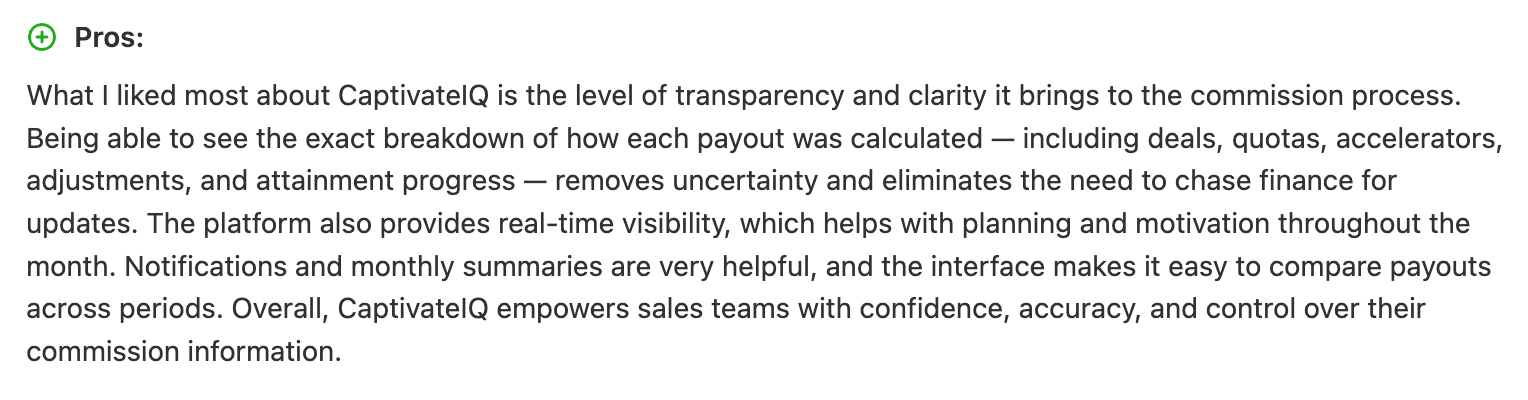
The real test is whether Finance, RevOps, sales managers, and reps can trace how a payout was created.
Think of a commission calculation like a receipt. If someone questions the total, you need every line item visible, right down to which deal, which rate, and which rule produced the figure. Look for reviews that speak to traceability, not just accuracy.
Implementation Experience: How heavy Is The Lift to Get Live?
Implementation sentiment matters more here than in most software categories, because comp systems sit directly on top of messy data.
When you read reviews, look for specifics: the timeline to go live, how much data cleanup was required, how CRM integration setup went, whether plan-build support was strong, how many QA cycles it took, and what post-launch enablement looked like. Those details tell you far more than a headline rating ever will.
CaptivateIQ Cons and Watchouts: Where Buyers Should Dig Deeper
None of these are automatic deal-breakers. They're questions to validate against your own systems, data, and internal ownership. Pull the current neutral and critical review themes from G2 and Capterra, read them fairly, and check them against the areas below.
Implementation Effort: Your Data Readiness Can Make or Break the Experience

CRM hygiene, opportunity ownership, product fields, close and booking dates, and clear crediting rules all feed the calculation engine. If those are inconsistent, no platform will save you. Implementation will feel slow and frustrating no matter which vendor you pick.
So the buyer's question is: "What data cleanup needs to happen before implementation starts, and who owns it?" Get that answer in writing before you sign.
Complex Plan Maintenance: Flexibility Still Needs Governance

Flexible systems are great, right up until every exception becomes its own custom rule. Then the flexibility that sold you turns into a maintenance burden nobody fully understands six months later.
Our practitioner tip: document your plan logic outside the tool, too. A shared plan document that Sales, Finance, and RevOps all reference keeps everyone working from the same source of truth. The tool executes the logic. The documentation explains it.
Reporting Expectations: Check Whether Standard Reports Match Your Finance Rhythm

Finance doesn't just need payouts. It needs accruals, payout forecasting, attainment tracking, budget variance, and clean bookings-to-commission reconciliation, all on the cadence of the close.
Before you commit, ask: "Which reports are out of the box, which are custom, and who maintains them?" A report that needs a services engagement every quarter is a very different cost profile than one that ships standard.
Support and Post-Launch Ownership: Validate What Happens After Go-Live

Review sentiment often shifts after implementation. When quarter-end hits, disputes pile up, and annual plan redesign season arrives, support quality really shows.
Ask directly: "What does customer success support look like during comp season, year-end changes, and urgent payroll cycles?" The answer during your worst week matters more than the answer during a demo.
CaptivateIQ pricing: What Public Sources Do and Don't Tell You
Here's the honest part. CaptivateIQ pricing isn't published as transparent package tiers on its website. Buyers typically need a custom quote.
That's normal for this category. But it does mean you should walk into pricing conversations prepared.
Quote-Based Pricing: Why There May Not Be a Simple Public Number
Quote-based pricing simply means your number depends on your situation. Employee count, payee count, plan complexity, which modules you need, how many integrations you're running, the level of implementation support, and your contract term can all move the figure.
A price range will not be published here because a reliable public source will not be available. If you see specific numbers floating around, treat them cautiously unless they come from a reputable, dated source.
Cost Drivers: What Can Change the Final Quote
- Payee count: More commissioned employees usually means higher cost.
- Plan complexity: More rules, exceptions, and crediting logic can raise implementation and services scope.
- Data integrations: CRM, ERP, HRIS, payroll, and data warehouse connections can all expand the project.
- Support and services: Implementation, migration, admin training, and ongoing support are often meaningful line items, not rounding errors.
- Enterprise needs: Security reviews, SSO, granular permissions, audit requirements, and procurement terms can reshape the whole deal.
CaptivateIQ features to evaluate during a demo
A feature list on a website tells you what exists. A demo tells you whether it works for your comp plans. So tie every feature below to a job you actually need done, and insist on using your real plan examples, not only the polished sample data the vendor brings.
1. Plan Design and Rule Configuration: Can Your Team Model Real-World Comp Logic?
Your plans probably include some mix of quotas, rates, tiers, accelerators, draws, guarantees, clawbacks, split credits, overlays, team credits, and SPIFs. The question is whether your team can build and adjust all of that without constant vendor help.
Demo task: ask the vendor to model one simple plan and one genuinely messy plan from your current environment. The messy one is where you learn the truth.
2. Commission Calculations: Can You Test Before Payout?
Look closely at the calculation engine, preview mode, scenario testing, retroactive adjustments, dispute handling, and recalculation logic.
Month-end commission close shouldn't feel like refreshing a black box and hoping the number is right. You want to see the output before it hits payroll, understand why it changed, and rerun it cleanly when something upstream shifts.
Read more about commission calculations here.
3. Statements and Dashboards: Can Reps Self-Serve Answers?
Check the rep-facing earnings views: deal-level crediting, payout statements, quota attainment, and estimated commissions. Can a rep answer their own "why did I get paid this?" question without pinging RevOps?
Side note: this is one reason we've invested heavily in rep visibility at Everstage. In our experience, when reps can see exactly how deals turn into earnings, they ask better questions and trust the process more, which quietly reduces the dispute load on your comp team.
4. Approvals and Audit Trails: Can Finance Defend the Payout?
Look at approval routing, version history, adjustment logs, permissioning, and exportable audit evidence.
Enterprise readiness comes down to a simple test: can Finance answer "who changed what, when, and why?" without a scavenger hunt? If the audit trail is thin, that gap will surface during your first real audit.
5. Forecasting and Accrual Support: Can Finance See Liability Before Payroll?
Finance shouldn't discover payout exposure after the fact. Look for projected commissions, accrual reporting, budget tracking, and clear visibility into upcoming payout liability.
Analysts have long pointed to the value of automating manual finance and revenue operations work to improve forecast reliability. Comp accruals are a prime example of where that automation pays off.
CaptivateIQ Integrations: What to Validate Before Procurement
A connection that dumps messy data is worse than no connection at all, just because it looks like it's working.
Before procurement, validate the specifics.
For context on why source data matters so much, see our piece on CRM hygiene and commission automation.
CRM Integration: Does the Tool Match How Your Sales Org Books Revenue?
Salesforce is likely your core system. If you're a mid-market buyer on HubSpot, confirm that path directly.
Ask: Which objects are supported? How are opportunity splits handled? How does the tool treat amendments, renewals, and multiple product lines on a single deal? These edge cases are where crediting quietly breaks.
ERP, Billing, and Payroll: Can Payout Data Travel Cleanly Downstream?
If your stack includes systems like NetSuite, Workday, ADP, UKG, or BambooHR, ask about each one specifically rather than assuming support.
The reason this matters: Finance doesn't want to manually re-key final payouts into payroll. Every manual handoff is a chance for error, and a person's afternoon is lost.
Data Warehouse and BI: Can You Reconcile Commissions With Company Reporting?
If you rely on Snowflake, BigQuery, Looker, Tableau, or Power BI, confirm what's actually supported before you count on it.
Buyer question: "Can we export calculation-level data for reconciliation and board reporting?" Summary numbers are fine, right up until someone asks you to prove them.
CaptivateIQ Alternatives: When to Compare Other Sales Compensation Software
If you're at the shortlist stage, comparing a couple of platforms side by side is just good diligence. We'll keep this fair and brief, and we'd rather you verify current product details yourself than trust a comparison table that goes stale the moment a vendor ships a release.
Suggested read: Top CaptivateIQ alternatives
1. Everstage: For Teams That Want Rep Visibility, Admin Control, and AI-First Comp Operations
We're a fit for teams that want commission automation, forecasting, rep-facing clarity, and AI-assisted comp workflows in one operating layer. If you're comparing CaptivateIQ and Everstage, do yourself a favor: run the same real plans and data scenarios in both demos. That's the only way to get an apples-to-apples read.
Suggested read: CaptivateIQ vs. Everstage
2. Xactly: For Mature Enterprise Incentive Compensation Programs
Xactly is an established enterprise ICM and SPM option, often evaluated by large companies with formal comp governance and long-standing incentive programs. If you go this route, verify current packaging, integrations, and implementation approach, since enterprise deployments vary widely.
3. Forma.ai: For Complex Enterprise Sales Compensation Design and Optimization
Forma.ai is often considered by enterprise teams whose challenge isn't just running comp, but designing and optimizing complex incentive structures. Before you shortlist it, get clear on what you actually need: automation of an existing plan, help modeling and refining plan design, or both. Those are different problems, and the answer shapes the fit.
4. QuotaPath: For Smaller or Less Complex Teams Needing Commission Tracking
QuotaPath tends to fit teams that need straightforward commission visibility and tracking rather than heavy governance. If your plans are relatively simple and your main goal is giving reps and managers a clear view of earnings, it's worth a look.
If you're an enterprise buyer, verify its enterprise controls, audit capabilities, and Finance requirements against your own before assuming coverage.
Who Should Choose CaptivateIQ?
CaptivateIQ is well suited for organizations that:
- Manage multiple commission plans across different teams
- Need flexible commission modeling and calculation logic
- Want better visibility into payouts for sales representatives
- Require structured approval workflows and audit trails
- Have dedicated Finance or Revenue Operations resources to manage compensation plans
Smaller businesses with simple commission structures may not need the level of flexibility CaptivateIQ provides.
How to Run a Fair CaptivateIQ Evaluation
Reading reviews is the start. Here's how to turn what you've learned into a decision you can trust.
Use Your Real Comp Plans in the Demo
Ask CaptivateIQ and every alternative to model one easy plan and one hard plan from your actual environment.
The hard one is where you learn the truth: a ramping AE, an overlay credit, a split deal, a clawback, a renewal or expansion, a SPIF, a multi-currency payout. If a platform handles your messiest plan cleanly, the simple ones take care of themselves.
Bring the Right People Into the Room
Comp decisions fail when they're made in a silo. Get every owner in the evaluation:
- RevOps: Owns data flow, CRM logic, territories, and operational process.
- Finance: Owns payout accuracy, accruals, approvals, and auditability.
- Sales leadership: Owns plan communication, rep trust, and behavior alignment.
- IT / security: Owns SSO, permissions, integrations, data controls, and procurement review.
Ask for Proof, Not Promises
Demos are designed to look good. Ask for evidence instead: sample audit trails, real statement examples, integration documentation, a detailed implementation plan, and customer references.
Make sure those references match your stage. A mid-market buyer should talk to a mid-market customer; an enterprise buyer should talk to a company running comparable plan complexity. A reference from a company nothing like you tells you very little.
Comparing sales compensation platforms? See how Everstage handles commission automation, rep visibility, and Finance-ready controls. Book a demo
Make the Decision With Your Own Reality, Not Someone Else's Review
CaptivateIQ reviews are worth reading, but they're an input, not an answer. The strongest buying decision comes from matching those review themes against your own reality: how complex your plans are, how clean your data is, what Finance needs for governance, and how much visibility your reps expect.
Read the feedback through that lens. Run a fair evaluation with real plans and the right people in the room. Ask for proof at every step, not just promises.
If you're comparing CaptivateIQ with Everstage, book a demo and bring your real comp scenarios to the conversation. That's the fastest way to find out which platform actually fits, rather than which one just reviews well.
FAQs
How long does CaptivateIQ implementation typically take?
Timelines vary widely by plan complexity and data readiness, ranging from several weeks for simple setups to multiple months for enterprise deployments with heavier data and integration needs.
Does CaptivateIQ have a mobile app for reps?
Reviewers commonly note that rep access is limited to a browser experience. Confirm current mobile support directly with CaptivateIQ, since platform capabilities change over release cycles.
Is CaptivateIQ pricing negotiable?
Yes, quote-based pricing generally leaves room for negotiation, especially around payee count, contract length, and implementation scope. Benchmarking against your own plan complexity strengthens your position at the table.
What company size is the best fit for CaptivateIQ?
It tends to suit mid-market and enterprise teams with dedicated RevOps or Finance resources and evolving plan complexity, similar to the buyers Everstage typically serves.
How should we compare CaptivateIQ against Everstage?
Run the same real compensation plans, CRM data scenarios, reporting needs, and approval workflows through both demos. That's the only way to get an honest, apples-to-apples read. Then compare the things that actually shape daily life: admin experience, rep visibility, Finance controls, implementation approach, integrations, and total cost across the full contract term.