TL;DR
CPQ features that are essential for streamlining the sales process help improve accuracy, speed, and efficiency in configuring products, pricing, and generating quotes.
- Automates product configuration, reducing manual errors and ensuring accurate product setups.
- Speeds up quote generation, accelerating response times and shortening sales cycles.
- Ensures dynamic pricing with real-time adjustments based on customer requirements and discount rules.
- Improves sales efficiency through guided selling, AI-driven recommendations, and integrated approval workflows.
Are your sales teams spending more time configuring products, calculating pricing, and chasing approvals than closing deals? These manual tasks slow down your sales cycle and introduce errors, giving competitors an edge with faster quotes.
Configure, Price, Quote (CPQ) software automates the entire process, from product configuration to pricing and quote generation, allowing your team to deliver accurate quotes in minutes rather than days.
For businesses with complex pricing models or large product catalogs, CPQ features are essential. They eliminate the inefficiencies and errors of manual processes by automating pricing and product configuration, resulting in faster, more accurate quotes.
In this blog, we’ll break down the core and advanced CPQ features that drive results. You’ll learn which capabilities are must-haves, how each feature improves your sales process, and how to prioritize them based on your business needs.
Let’s first explore what CPQ is and how it fits into the sales process.
What is CPQ? (Configure, Price, Quote Explained)
Configure, Price, Quote (CPQ) is a type of sales automation software designed to help businesses configure complex products or services, determine accurate pricing, and generate professional quotes quickly and efficiently.
By applying product rules, CPQ ensures that the selected options and configurations align with your company’s technical and business standards, preventing errors in the sales process.
At its core, CPQ handles three key functions:
- Configure: Helps sales reps (or customers) select product options and combinations that are valid and compliant with technical and business rules, even in highly customizable product catalogs.
- Price: Automatically applies pricing rules, discounting logic, and margin controls so quotes reflect the correct and approved prices every time.
- Quote: Generates professional, branded proposals with accurate pricing and terms that can be shared with prospects instantly.
The success of CPQ implementation depends on thorough planning, which includes aligning the system with your existing workflows and training staff on how to use the tool effectively.
By automating repetitive and error‑prone tasks, CPQ helps sales teams improve accuracy, reduce quoting errors, and shorten sales cycles, freeing reps to focus more on selling and less on administrative work.
Effective onboarding with CPQ ensures that new team members are quickly up to speed with the system, reducing the learning curve and increasing adoption across departments.
CPQ tools are particularly valuable for industries where products or services are customizable or pricing rules are complex. Examples include:
- Manufacturing: Industrial equipment, automotive, and machinery companies that offer many configuration options for each product.
- SaaS and Technology: Software vendors with tiered pricing, add‑ons, and subscription models.
- B2B Sales: Businesses with multi‑component pricing, bundled services, or enterprise contracts across sectors like financial services, healthcare, and telecom.
The CPQ process simplifies product configuration, pricing, and quote generation, ensuring that each step is automated, reducing errors, and speeding up the sales cycle.
Now that you understand what CPQ is, let's explore the specific features that make it an indispensable tool for modern sales teams.
Core CPQ Features Every Business Should Know
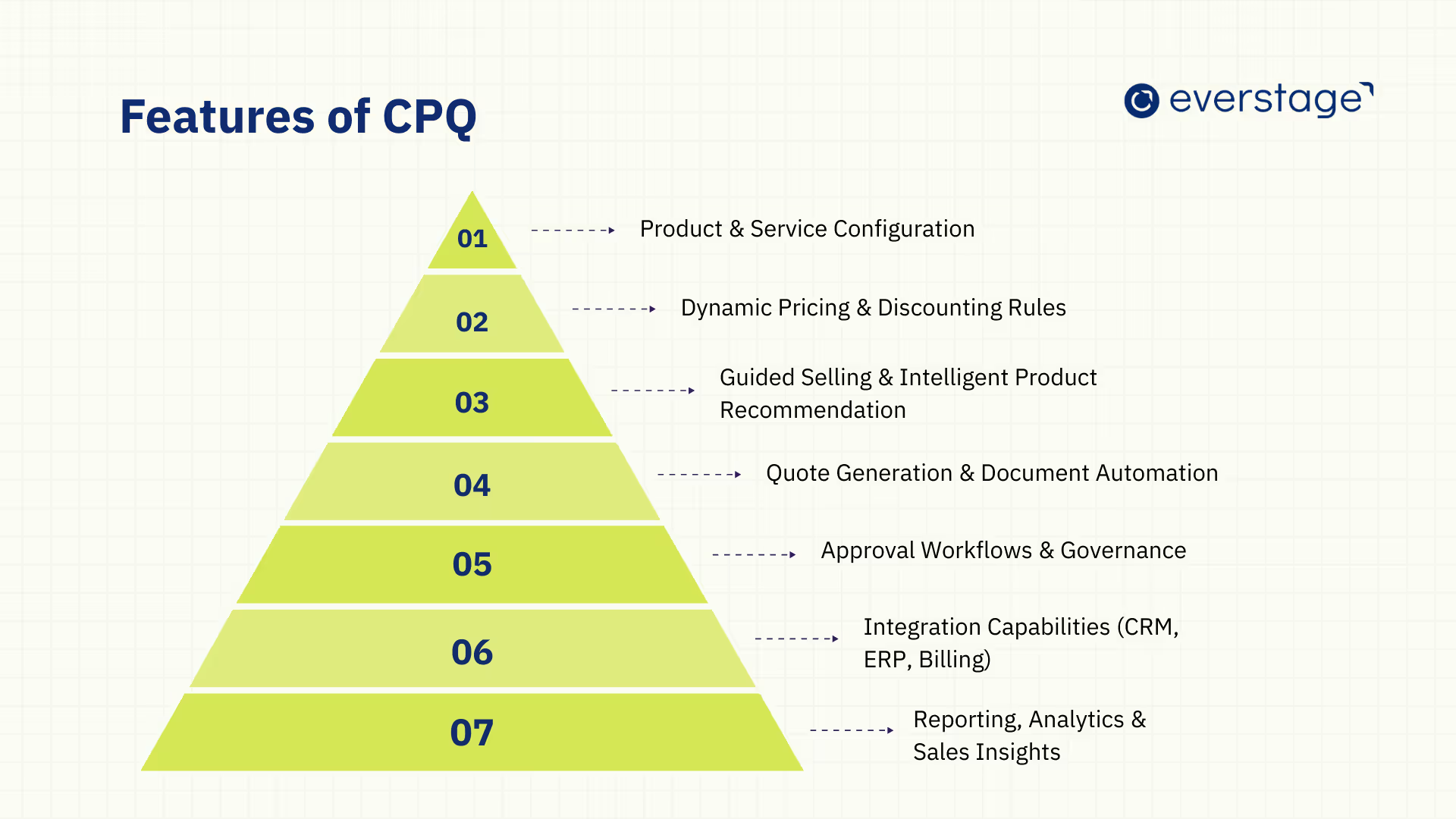
A good CPQ (Configure, Price, Quote) system helps sales teams streamline their processes by automating complex tasks. With CPQ, businesses can configure products, set pricing, and generate accurate quotes in minutes, saving time, improving accuracy, and reducing errors.
Here are the core features of CPQ that every business should know:
1. Product & Service Configuration
CPQ enables sales teams to configure products and services accurately using rules-based logic that prevents incompatible combinations and pricing errors. It also handles complex product dependencies and constraints, ensuring that required components, optional add-ons, and compatibility rules are automatically applied.
This reduces manual validation, minimizes configuration mistakes, and helps teams deliver accurate quotes faster.
- Simplifies complex product catalogs by automating the configuration of product options and features.
- Ensures correct product combinations using rule-based logic to avoid errors.
- Increases speed in product configuration, reducing the time spent manually checking combinations.
This feature is especially beneficial for industries that offer highly customizable products, like manufacturing, tech, or SaaS companies, where each deal can require a different configuration.
2. Dynamic Pricing & Discounting Rules
Pricing is often complex and can vary by customer, volume, or location. CPQ systems make pricing dynamic by applying rules that automatically adjust pricing based on factors such as customer type, order size, or regional variations.
- Volume-based discounts are applied automatically when large orders are placed.
- Customer-specific pricing is adjusted based on customer agreements or market segments.
- Discount approval is controlled by the system to ensure that no unauthorized discounts are given.
For example, a company offering subscription software can automatically adjust pricing based on the customer’s subscription level, while a retailer can adjust for volume purchases. CPQ ensures pricing is consistent and aligned with business rules.
3. Guided Selling & Intelligent Product Recommendation
CPQ provides guided selling, which leads sales reps through the product selection process based on the customer’s needs. This feature reduces errors and helps reps make better decisions by recommending the most relevant products.
- Step-by-step product selection makes it easier for sales representatives to match the right product to customer needs.
- Intelligent product recommendations are based on customer data and preferences, ensuring the right fit.
- Simplifies the decision-making process, allowing sales teams to move through configurations quickly.
For instance, a telecom company can use guided selling to suggest the best combination of internet, mobile, and TV services based on customer location and preferences. This not only speeds up the process but also increases the likelihood of a successful sale.
4. Quote Generation & Document Automation
Once products are configured and pricing is determined, CPQ automatically generates quotes and proposals. This feature eliminates the need for sales reps to manually compile quotes, ensuring they are accurate and delivered quickly.
- Instant, accurate quotes are generated with all relevant pricing, product details, and terms.
- Branded templates ensure that every quote looks professional and consistent.
- Speedy delivery of quotes enables faster responses to customers, shortening the sales cycle.
For businesses that deal with large or customized orders, CPQ makes it easier to produce error-free, professional documents in a fraction of the time.
5. Approval Workflows & Governance
Some deals require special pricing or product configurations that need to be approved by higher-ups. CPQ systems automate approval workflows, ensuring that every deal complies with business rules and pricing policies.
- Predefined approval workflows send deals to the appropriate stakeholders (e.g., finance or senior sales) for review.
- Real-time tracking ensures that approvals are completed quickly and that no deal is delayed unnecessarily.
- Governance control helps ensure compliance with discounting policies and contractual terms.
For example, when a sales rep proposes a large discount on a deal, the CPQ software routes it for approval to the finance team. This helps maintain control over discounting and speeds up the decision-making process.
6. Integration Capabilities (CRM, ERP, Billing)
CPQ software integrates with key business tools, including CRM systems, ERP platforms, and billing systems, to ensure data is consistent and processes are seamless.
- CRM integration allows sales teams to access accurate customer data when generating quotes.
- ERP integration ensures that product availability and inventory levels are accurately reflected in the quote.
- Billing integration automates the transition from quote to invoice, reducing errors and ensuring accurate billing.
This integration ensures that sales teams have access to up-to-date data across all systems, making the entire sales process more efficient and aligned with other business functions.
For example, platforms like Everstage CPQ offer seamless integration with major CRM systems and ERP platforms, ensuring your sales, finance, and inventory teams are aligned and working with real-time data.
7. Reporting, Analytics & Sales Insights
CPQ systems come with reporting and analytics tools that provide businesses with insights into their sales process. These insights help sales teams track performance, identify bottlenecks, and make data-driven decisions.
- Dashboards provide real-time visibility into metrics like win rates, quote volume, and sales performance.
- Performance analytics help identify areas for improvement and allow managers to make adjustments as needed.
- Sales insights improve forecasting and ensure that sales strategies are optimized based on real data.
By providing actionable data, CPQ systems help businesses adjust their strategies and improve overall sales performance.
Now that we've explored the core CPQ features, let's dive into the advanced tools that are taking sales processes to the next level and driving even more value for businesses.
Advanced and Emerging CPQ Features
As CPQ technology evolves, businesses are gaining access to more advanced capabilities that go beyond the core features of product configuration, pricing, and quoting. These new tools help sales teams leverage data more effectively, automate complex processes, and enhance customer interactions.
Here are the most impactful advanced CPQ features that are reshaping the sales process.
1. AI-Powered Pricing & Deal Guidance
Artificial Intelligence is revolutionizing CPQ by offering data-driven pricing and deal guidance. AI algorithms analyze historical data, customer behavior, and market trends to suggest optimal pricing for each deal.
This enables sales teams to adopt dynamic pricing strategies based on the customer's journey, competitive market conditions, and the stage of the sales cycle.
- AI can recommend price adjustments depending on the sales cycle stage, allowing for more aggressive pricing early on and more conservative offers as the deal progresses.
- The system also takes into account customer behavior, such as previous purchasing patterns or engagement with the sales process, to suggest the most likely successful pricing strategies.
- It can also automatically adjust pricing based on competitor pricing and market changes, helping sales teams stay competitive without having to manually track market shifts.
With AI, CPQ systems help sales teams make smarter, data-backed decisions that improve both pricing accuracy and deal closures.
Teams evaluating these capabilities can explore the benefits of AI-powered CPQ to understand how automated configuration and pricing reshape quoting workflows.
2. Self-Serve CPQ for Customers
Self-serve CPQ provides customers with the ability to configure products and generate quotes on their own through an online portal. This self-service approach is especially useful for businesses with high-volume transactions or repeat customers who need a more streamlined, independent purchasing process.
- Customer autonomy: Customers can explore product configurations, check pricing, and generate quotes at their own pace without having to wait for a sales rep.
- Reduced sales team load: By shifting routine quoting tasks to customers, sales teams can focus on high-value opportunities and more complex sales processes.
- Improved transparency: Self-service portals provide customers with clear and real-time access to pricing and product availability, making it easier for them to make purchasing decisions.
This feature is especially beneficial for B2B businesses or industries with high-touch sales processes, as it empowers customers and helps speed up the sales cycle.
3. Subscription & Usage-Based Pricing Support
For businesses with recurring revenue models (like SaaS or cloud services), CPQ can now manage subscription pricing and usage-based billing. These models require greater flexibility, as pricing often depends on the duration of the service, usage levels, and the number of users or products consumed.
- Recurring billing: CPQ helps generate accurate subscription quotes and pricing structures that integrate with billing systems, ensuring smooth handoff to subscription management platforms.
- Usage-based pricing: For services that charge based on consumption (like cloud services), CPQ can automatically adjust pricing based on the customer's usage, ensuring accurate billing.
- Automated renewals and add-ons: CPQ can generate quotes for contract renewals and suggest relevant add-ons or upgrades based on customer usage patterns, maximizing lifetime customer value.
With subscription and usage-based billing, businesses can offer a seamless and transparent experience, improving customer retention and reducing churn.
4. Mobile Access & Cloud-Based Deployment
Cloud-based CPQ systems allow mobile access, enabling sales reps to generate quotes and configure products from anywhere. This is essential for businesses with remote or distributed sales teams that need access to up-to-date product, pricing, and customer information while on the go.
- Real-time access: Sales reps can view and adjust quotes in real-time, ensuring that they always have the most current information when interacting with customers.
- Mobile quoting: Reps can generate and modify quotes on mobile devices during meetings, calls, or when traveling, reducing response time and increasing sales productivity.
- Scalable and flexible: Cloud deployment allows businesses to scale easily, ensuring that teams in different locations can access the same centralized information without relying on on-site infrastructure.
This flexibility allows sales teams to remain productive, responsive, and connected, regardless of location.
5. Visual Product Configuration & 3D Visualization
For businesses that offer customized or complex products, visual product configuration and 3D visualization help sales teams and customers make informed decisions. Instead of simply selecting features or options from lists, users can interact with visual models of the products they are configuring.
- Interactive 3D models: Customers can see a realistic 3D representation of their customizations, making it easier to understand how different options impact the final product.
- Real-time updates: As customers adjust features, the model updates immediately, providing instant feedback and allowing for accurate pricing adjustments.
- Enhanced customer confidence: By visualizing the end product before purchase, customers can be more confident in their choices, leading to fewer changes or cancellations.
Industries like manufacturing, automotive, and construction benefit significantly from 3D visualization, as these industries often involve highly customizable products where customers need to visualize configurations accurately before committing to a purchase.
With a deeper understanding of both core and advanced CPQ features, let's explore how implementing these tools can transform your sales operations, drive efficiency, and empower your team to close deals faster.
How CPQ Features Improve the Sales Process
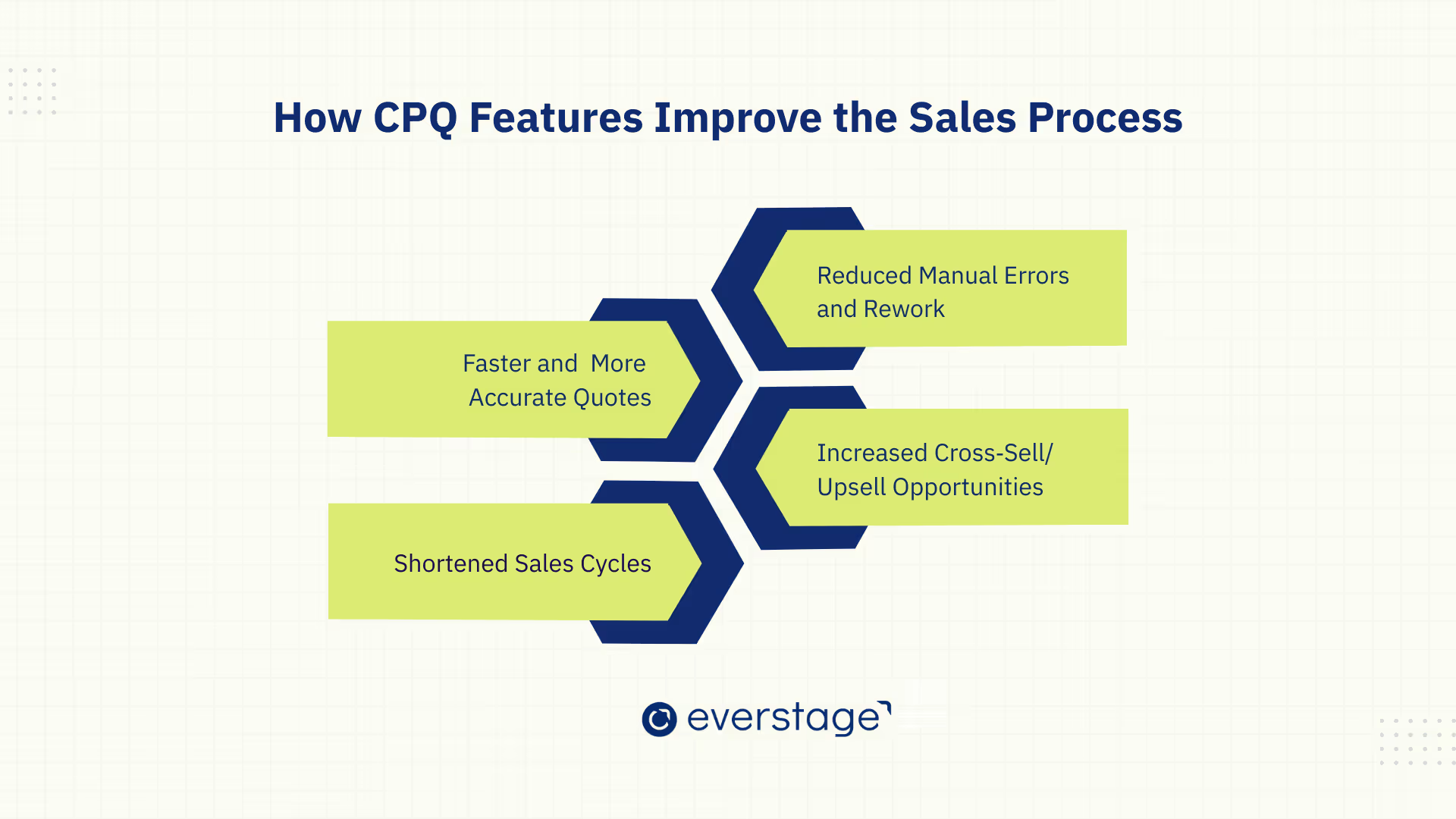
CPQ (Configure, Price, Quote) systems do more than automate quoting; they streamline the entire sales process. By improving efficiency, reducing errors, and speeding up deal closures, CPQ transforms how sales teams operate. Here’s how these features directly benefit the sales process.
1. Faster & More Accurate Quotes
CPQ automates quote generation, allowing sales teams to produce accurate, professional quotes in minutes instead of hours or days. This reduces manual errors, ensuring consistent pricing and configuration across all quotes.
Faster response times improve customer satisfaction and help sales teams stay competitive, while eliminating costly errors that could derail deals.
2. Reduced Manual Errors & Rework
Manual quoting often leads to inconsistent pricing and configuration mistakes, requiring rework. CPQ removes these risks by enforcing automated pricing rules and product configurations.
This not only ensures accuracy but also eliminates unnecessary revisions, saving time and improving the overall sales process. With fewer mistakes, sales reps can focus more on closing deals than fixing errors.
3. Shortened Sales Cycles
CPQ streamlines quoting and approval processes, significantly reducing the sales cycle. Automated approval workflows and faster quote generation mean that deals move faster through the pipeline.
Sales reps can quickly respond to customer needs, accelerating decision-making and leading to faster revenue realization. This boost in speed improves sales efficiency, making teams more agile in competitive markets.
4. Increased Cross-Sell/Upsell Opportunities
CPQ can suggest relevant upsell and cross-sell opportunities during the quoting process based on customer preferences or past behavior. By recommending additional products or services, CPQ helps increase deal size and customer lifetime value.
This feature ensures that sales teams don’t miss opportunities to offer customers the best solutions, enhancing both customer satisfaction and revenue.
CPQ features significantly enhance the sales process by making quoting faster, reducing errors, shortening sales cycles, and increasing revenue opportunities.
Not all CPQ (Configure, Price, Quote) systems are created equal. While basic CPQ tools are suitable for small businesses or simple sales processes, enterprise-grade CPQ systems are designed to scale with more complex needs.
Understanding the differences between the two can help you determine which solution is best for your organization and avoid hidden costs as your business grows.
Feature Comparisons: Basic vs Enterprise CPQ Capabilities
CPQ systems offer a variety of features that vary significantly based on your business needs. While basic CPQ tools can provide initial solutions for product configuration and pricing, enterprise‑grade CPQ platforms offer more sophisticated functionalities that cater to larger businesses with complex sales processes, products, and workflows.
Here’s how they compare:
Basic CPQ tools are effective for small businesses or those with straightforward sales processes, but they often fail to scale as product complexity and sales volume increase.
Enterprise-grade CPQ systems, on the other hand, offer the advanced features and flexibility needed to manage complex sales processes, large product catalogs, and diverse pricing models.
As businesses grow, investing in an enterprise CPQ solution ensures greater efficiency, improved accuracy, and faster revenue generation.
Beyond Core Systems: Additional CPQ Integrations That Matter
As CPQ becomes central to modern revenue operations, its value multiplies when it connects seamlessly with systems beyond CRM, ERP, and billing. These additional integrations help CPQ drive efficiency across the entire deal execution ecosystem, from signing and contracting to payment and document storage.
Below are the key integrations that significantly enhance CPQ’s impact:
1. E-Signature Integration
CPQ platforms integrate directly with e‑signature tools such as DocuSign and Adobe Acrobat Sign to close the final gap between quote approval and deal execution.
When a quote is approved in CPQ, it can be automatically routed to the chosen e‑signature tool with all pricing, terms, and attachments included. This eliminates manual steps like exporting documents, attaching files, or emailing back and forth, which reduces friction and eliminates bottlenecks in the final stages of the sales process.
By integrating e‑signatures, organizations see faster turnaround on signed agreements and fewer abandoned deals due to slow or cumbersome manual signing processes.
2. Contract Lifecycle Management (CLM) Integration
CPQ and CLM integration ensures that the transition from quote to contract is seamless, transparent, and error‑free.
Once a quote is accepted, it can be pushed directly into a CLM system, carrying pricing, terms, and configurations along with it. This avoids the need to re‑enter information manually and ensures that the contract matches exactly what was quoted.
CLM integration also supports things like:
- Managing redlines and revisions
- Tracking clauses and legal language
- Routing contracts through appropriate approvals
This alignment helps ensure that pricing, terms, and legal requirements stay synchronized, reducing compliance risk and improving collaboration between sales and legal teams.
3. Payment & Invoicing Integrations
Integrating CPQ with payment gateways and invoicing tools bridges the gap between quote acceptance and revenue collection.
When connected with payment systems or subscription billing platforms, CPQ can support:
- Upfront payments at quote acceptance
- Milestone-based billing for complex projects
- Recurring subscription billing tied to contract terms
This reduces the friction between sales and finance by automating the transition from sales agreement to revenue collection. Sales teams no longer need to manually hand off signed quotes to finance, and finance teams receive accurate pricing and billing details directly from the quote source, reducing errors and accelerating cash flow.
4. Document Management & Storage Systems
Quotes, proposals, contracts, and signed agreements are often required for audits, renewals, or cross‑departmental visibility. Integrating CPQ with document management systems like SharePoint, Google Drive, or internal DMS ensures that all sales documents are stored in a centralized, searchable location.
This integration:
- Keeps all documents organized in a secure repository
- Enables easy retrieval during renewals or compliance reviews
- Ensures a single source of truth across sales, legal, and finance teams
Rather than relying on emails or shared folders, teams can access the exact version of a signed document directly from the system of record.
5. API & Custom Integration Support
For enterprises with complex or proprietary systems, such as industry‑specific tools, custom pricing engines, or internal quoting workflows, robust API support is critical.
APIs allow CPQ systems to connect with virtually any system, enabling:
- Real‑time data exchange between CPQ and niche internal systems
- Custom workflows tailored to unique operational requirements
- Bi‑directional synchronization of pricing, product data, orders, and customer records
This flexibility is especially important for companies with multi‑system architectures or specialized workflows that standard integrations alone can’t handle. With APIs, CPQ fits into the broader technology ecosystem as a flexible, extensible component of the revenue tech stack.
With CPQ now extending across signing, contracting, and payments, it’s easier to see how these capabilities come together differently across industries.
Industry Use Cases for Key CPQ Features
CPQ systems are highly adaptable, providing unique benefits across different industries by simplifying product configuration, pricing, and quoting processes. Here’s how key CPQ features are leveraged in various sectors.
- Manufacturing & Complex Product Sales: Manufacturers with complex products and multiple components benefit from CPQ by automating product configuration and pricing. This ensures only valid combinations are selected and dynamically adjusts pricing based on factors like volume and customization.
For example, a manufacturer selling industrial equipment can automate configuration, reduce errors, and speed up quote generation, allowing sales teams to focus on closing deals rather than manually managing product options.
- SaaS and Technology Solutions: In the SaaS and tech industries, CPQ automates subscription pricing, recurring billing, and custom product configurations. It ensures accurate contract terms and billing, streamlining renewals and improving customer satisfaction.
For instance, a SaaS provider might use CPQ to configure subscription plans, define pricing tiers, and generate accurate initial quotes with the right contract terms, making the quoting process faster and more transparent for customers.
- B2B Distribution and Services: B2B distributors and service providers use CPQ to manage bulk orders and long‑term contracts. CPQ automates volume discounts, custom pricing, and contract terms, making quotes more accurate and reducing manual approval steps.
For example, a distributor could automate pricing for large orders and multi‑year contracts, reducing errors and speeding up the quoting process.
With a solid understanding of CPQ use cases, let’s take a look at how to evaluate CPQ features when choosing the best solution for your business.
How to Evaluate CPQ Features When Choosing a Tool
When choosing the right CPQ (Configure, Price, Quote) tool for your business, it’s essential to understand which features are crucial for your operations. With many options available, the key is to focus on what your business truly needs in order to streamline sales, improve quoting accuracy, and ensure scalability as you grow.
Here's how to evaluate CPQ features effectively.
1. Must-Have vs. Nice-to-Have Features
CPQ tools come with a variety of features, but not all are necessary for every business. Start by identifying must-have features that are essential to your sales process, and distinguish them from the nice-to-have features that add extra value but aren’t critical right away.
Must-Have Features:
- Product Configuration: The ability to configure products with multiple options and complex rules, ensuring valid combinations and pricing.
- Pricing Automation: The automation of pricing rules, including volume discounts, region-specific pricing, and dynamic pricing based on customer or deal parameters.
- Quote Generation: The ability to generate accurate, professional quotes that are customizable and error-free.
- Integration Capabilities: Seamless integration with CRM (like Salesforce) and ERP (like SAP) systems, ensuring consistent data across platforms.
- Approval Workflows: The ability to manage and automate approval processes to expedite deal closure, particularly for complex configurations or large discounts.
Nice-to-Have Features:
- AI-powered pricing recommendations
- Self-service quoting portals for customers
- Visual configurators or 3D product visualization
- Advanced reporting and analytics
By focusing on must-have features first, you’ll ensure that the CPQ tool addresses your business’s core needs before considering additional functionalities that provide extra value.
2. Feature Prioritization Based on Business Needs
Not every business needs the same CPQ features. It’s important to evaluate which features are most critical based on your specific business model and sales processes.
- For businesses with complex products: If your business sells configurable or customizable products, prioritize CPQ tools that offer advanced product configuration capabilities. Look for features like multi-part product configurations, rule-based validation, and custom product bundles.
- For businesses with dynamic pricing: If you rely on fluctuating pricing models based on customer tiers, geography, or volume, prioritize pricing automation features. These will ensure that pricing is consistently applied and adapted in real time, while also supporting complex discounting rules.
- For SaaS or subscription-based businesses: Focus on CPQ tools that support recurring billing and subscription models, which automate renewals, usage-based pricing, and ensure that subscription terms are accurately reflected in quotes.
- For service or B2B businesses: If you deal with bulk orders, long-term contracts, or complex service agreements, look for contract management and bulk pricing features to streamline quoting for large deals and multi-year contracts.
Tailor your feature prioritization to your business needs to ensure the tool you choose directly supports your sales strategy.
3. Integration and Scalability Considerations
As CPQ will become a critical part of your sales operations, it must integrate well with your existing systems and be scalable as your business grows.
- CRM and ERP Integration: Ensure that the CPQ tool integrates seamlessly with your CRM (Customer Relationship Management) system (such as Salesforce) and ERP (Enterprise Resource Planning) system. This will keep your data synchronized across sales, finance, and other departments.
Integration minimizes manual data entry, reduces errors, and ensures consistency in customer, product, and pricing information.
- Scalability: As your business grows, so will your product catalog, pricing complexity, and customer base. The CPQ tool should be able to scale easily to handle increased transaction volumes, more complex pricing structures, and expanded product offerings without compromising performance.
Look for systems that allow for easy updates and accommodate your business as it enters new markets or adds more products.
- Customization Flexibility: Ensure that the CPQ tool offers customization options so you can tailor it to your unique workflows, product lines, and pricing rules. It should be flexible enough to adapt to future business changes without requiring extensive IT resources.
Conclusion
CPQ (Configure, Price, Quote) tools are transforming sales processes by automating complex tasks like product configuration, pricing calculations, and quote generation.
With advanced product configuration, dynamic pricing automation, and seamless quote generation, CPQ systems enable businesses to generate accurate quotes quickly and efficiently. These capabilities eliminate manual errors, reduce delays, and improve the overall customer experience.
By integrating CPQ with CRM and ERP systems, businesses can further streamline their operations, ensuring that sales, finance, and other departments work from the same set of accurate, up-to-date data. This integration enables real-time updates, reduces manual data entry, and creates a smoother workflow from quote to cash.
Adopting CPQ can be a game-changer for modern sales teams. It significantly boosts efficiency, accuracy, and scalability, allowing businesses to respond faster to customer needs and scale more effectively as they grow.
Ready to optimize your sales process with CPQ? Book a demo with Everstage CPQ today and see how we can help you streamline your quoting, pricing, and product configuration to accelerate your business growth.
Questions worth asking
The things most people want to know before they commit.
What is CPQ, and why is it important for my business?
CPQ (Configure, Price, Quote) software helps automate and streamline the quoting process. It enables sales teams to quickly configure complex products, apply accurate pricing, and generate professional quotes, all while reducing manual errors and accelerating sales cycles. CPQ is essential for businesses with complex product catalogs, dynamic pricing models, or long sales cycles, as it improves efficiency and accuracy in the sales process.
How does CPQ integrate with CRM and ERP systems?
CPQ integrates seamlessly with CRM systems like Salesforce and ERP systems like SAP to ensure that data flows smoothly across sales, finance, and other departments. This integration helps maintain accurate, real-time information on pricing, customer details, product availability, and more, reducing manual data entry and improving overall workflow efficiency.
What are the key features to look for when choosing a CPQ tool?
When choosing a CPQ tool, focus on must-have features such as product configuration, pricing automation, and integration capabilities with your CRM and ERP systems. Nice-to-have features might include AI-powered pricing, visual configurators, and advanced reporting tools. Prioritize features based on your business needs, such as dynamic pricing, complex product configurations, or subscription billing.
How can CPQ benefit SaaS businesses?
For SaaS businesses, CPQ helps automate subscription pricing, initial quoting, and usage-based pricing structures, typically integrating with billing systems that manage renewals and invoicing. It allows sales teams to quickly generate accurate quotes based on different pricing models (e.g., tiered, recurring, and usage-based), reducing manual work, minimizing errors, and ensuring consistent and accurate billing for customers.
Can CPQ handle complex product configurations?
Yes, CPQ tools are designed to handle complex product configurations. For businesses selling customizable products, CPQ ensures that only valid combinations are chosen and automatically adjusts pricing based on configurations. This is particularly beneficial for industries like manufacturing, where products often have many variables and configurations.
What are the benefits of automating the quoting process with CPQ?
Automating the quoting process with CPQ offers numerous benefits, including faster quote generation, reduced errors, improved pricing accuracy, and a shorter sales cycle. By eliminating manual tasks, sales teams can focus on higher-value activities like closing deals, while customers receive accurate, timely quotes, improving satisfaction and trust.