TL;DR
CPQ ERP integration connects sales and operations to deliver faster, more accurate quoting while ensuring downstream processes run smoothly from order to cash.
- Understand how CPQ and ERP differ in purpose, users, and roles across the revenue lifecycle
- See how integrated CPQ ERP systems reduce manual errors and improve data consistency
- Learn why real-time visibility into pricing, inventory, and orders boosts customer experience
- Discover how alignment between sales, finance, and operations scales revenue efficiently
Speed matters in sales, but accuracy matters even more.
Today’s buyers expect fast, personalized quotes. Finance teams demand clean pricing and compliant revenue recognition. Operations teams need reliable order data to deliver on time. When these expectations collide inside disconnected systems, the result is friction: delayed quotes, pricing errors, manual rework, and frustrated customers.
This is the reality many teams face when CPQ and ERP operate in silos.
CPQ (Configure, Price, Quote) systems are built for the front lines of revenue. They help sales teams configure complex products, apply the right pricing, and generate accurate quotes at speed.
ERP systems, meanwhile, power the backbone of the business, managing inventory, billing, accounting, and fulfillment. Each system plays a critical role, but on its own, neither can support a seamless quote-to-cash process.
Without integration, sales quotes may include outdated prices or unavailable products. Orders get passed along with missing data. Finance spends time reconciling discrepancies instead of forecasting growth. Operations absorb the cost of fixing preventable errors. CPQ ERP integration -one piece of a broader CPQ integration strategy that also spans CRM and billing - fixes this.
It connects sales execution with operational systems of record, creating a continuous flow from quote to order to revenue
In this guide, we’ll break down what CPQ and ERP systems do, how they differ, and why integrating them is no longer optional for modern revenue teams. We’ll also explore how CPQ ERP integration improves speed, accuracy, and cross-functional alignment, so growth scales without introducing risk or complexity.
What is CPQ, and What is ERP?
Before diving into integration, it’s important to understand what CPQ and ERP systems do individually, and why they exist as separate platforms in the first place. While both support revenue, they serve very different users, workflows, and moments in the business lifecycle.
What Does CPQ Do in a Business?
CPQ (Configure, Price, Quote) software is designed to help sales teams sell complex products accurately and efficiently.
At its core, CPQ guides reps through three critical steps:
- Configure the right product or solution based on customer requirements
- Price it correctly using approved rules, discounts, and contracts
- Quote it quickly in a professional, error-free format
Instead of relying on spreadsheets, tribal knowledge, or back-and-forth with finance, CPQ embeds pricing logic, product rules, and approvals directly into the sales workflow. This allows reps to generate accurate quotes in minutes, not days, while staying within guardrails.
CPQ is especially valuable for businesses with:
- Complex product bundles or configurations
- Variable pricing models (tiered, usage-based, volume discounts)
- Long or consultative sales cycles
- Multiple approval layers or compliance requirements
In short, CPQ exists to remove friction from selling. It helps sales teams move fast without sacrificing accuracy, margin, or compliance.
What Does ERP Do Across Operations?
ERP (Enterprise Resource Planning) systems are built to run the business after a deal is closed, and often well beyond it.
ERP acts as the system of record for core operational data, including:
- Inventory and supply chain
- Order management and fulfillment
- Billing, invoicing, and revenue recognition
- Accounting, tax, and compliance
- Customer and vendor records
Unlike CPQ, which is sales-facing and flexible, ERP systems prioritize stability, control, and consistency. They ensure that financial data is accurate, auditable, and aligned with regulatory requirements.
ERP users typically include finance, accounting, operations, procurement, and supply chain teams. Their focus isn’t speed; it’s reliability, accuracy, and governance at scale.
Simply put, ERP ensures the business can deliver, bill, and recognize revenue correctly once a sale is made.
How CPQ and ERP Differ but Complement Each Other
CPQ and ERP often get grouped together because both touch revenue, but they operate at very different stages of the quote-to-cash lifecycle.
- CPQ supports revenue creation: helping sales teams configure and price deals before they’re signed.
- ERP supports revenue execution: ensuring orders are fulfilled, billed, and recorded correctly after the sale.
CPQ is optimized for speed and flexibility. ERP is optimized for control and accuracy. One is designed for selling; the other is designed for operating.
Problems arise when these systems operate independently. Sales may close deals that operations can’t fulfill easily, or finance may receive incomplete or inconsistent order data. That’s why CPQ and ERP aren’t competitors, they’re complements.
When connected, CPQ feeds clean, approved, and structured deal data into ERP. ERP, in turn, provides CPQ with real-time pricing, inventory, and customer data. Together, they create a seamless flow from quote to order to revenue.
Key Differences Between CPQ and ERP
CPQ and ERP serve distinct but complementary roles in the enterprise. Understanding how they differ helps clarify why both systems are required and how they work together effectively.
1. Purpose and Primary Users
CPQ systems are built for sales teams. They live at the front lines of revenue generation, where reps need to configure complex products, apply the right pricing, and generate quotes quickly, often while the customer is still on the call. Speed matters here. So does flexibility.
ERP systems are built for operational teams, finance, supply chain, procurement, and fulfillment. These teams prioritize control, consistency, and compliance. ERP enforces structured workflows, tracks inventory movements, manages GL entries, and ensures that orders are fulfilled correctly. Unlike CPQ, which adapts to each deal, ERP standardizes processes to maintain operational integrity.
2. Role in the Sales and Operations Lifecycle
CPQ operates in the pre-order phase. It guides the entire sales process, from product discovery and configuration to pricing, discounting, and quote approval. The system's role ends when the deal is won and the quote is accepted.
ERP takes over in the post-order phase. Once a quote becomes an order, ERP manages everything that happens next: order processing, inventory allocation, billing, invoicing, shipping, and revenue recognition.
The handoff between CPQ and ERP is where many revenue operations break down. When this transition isn't clean, when order data is incomplete, inconsistent, or requires manual re-entry, errors compound. Products get shipped incorrectly. Invoices don't match quotes. Finance reconciles discrepancies instead of forecasting growth.
3. Data Ownership and System of Record
CPQ is the system of record for quotes. It stores the commercial terms established during the sales process: product configurations, pricing, discounts, contract language, and approval history.
ERP is the system of record for orders. Once a quote is accepted, ERP takes ownership of the order and everything that follows: inventory allocation, billing schedules, invoices, shipments, and revenue recognition.
When these systems aren't integrated, the same data often lives in both places, but inconsistently. Product codes don't match. Pricing differs. Order details conflict. Integration ensures that shared data stays consistent across both systems without requiring manual updates.
4. Speed and Flexibility Versus Stability and Control
CPQ is built for speed and flexibility. Sales teams need to update pricing strategies, launch new bundles, and adjust discount policies quickly to respond to competitive pressure or market shifts.
ERP is built for stability and control. Changes to ERP affect core business processes, billing, inventory, accounting, and compliance. These changes require careful validation, approval workflows, and testing to avoid disrupting operations.
5. Decision Support Versus Execution
CPQ guides sales decisions. It enforces rules, validates configurations, and recommends pricing strategies at the point of selling. When a rep builds a quote, CPQ checks product compatibility, applies discount policies, and surfaces upsell opportunities based on customer context.
ERP focuses on executing transactions. It enforces operational workflows once decisions are made. When an order enters ERP, the system allocates inventory, triggers billing schedules, and records revenue according to predefined accounting rules.
Together, CPQ and ERP support both decision-making and execution across the quote-to-cash lifecycle. When integrated, the decision support in CPQ is informed by real-time operational data from ERP, inventory availability, customer payment history, and production capacity. And the execution in ERP is driven by accurate, complete order data from CPQ.
How CPQ and ERP Work Together
Integration between CPQ and ERP creates a continuous flow of data across the quote-to-cash process. When these systems are connected, sales teams gain real-time visibility into operational data, and operations teams receive accurate, complete order information, without manual handoffs or duplicate data entry.
Typical Data Flows Between CPQ and ERP
Data flows bidirectionally between CPQ and ERP, ensuring both systems stay synchronized throughout the transaction lifecycle.
From ERP to CPQ:
CPQ pulls critical operational data from ERP to ensure quotes reflect the current business reality. This includes product catalog and SKU details, pricing and discount structures, inventory availability, customer account data, payment terms, credit limits, billing addresses, and order history.
From CPQ to ERP:
Once a quote is accepted, CPQ sends order data to ERP for fulfillment and billing. This includes order details, product configurations, quantities, pricing, discounts, and delivery schedules. Customer information updates, contract terms, payment schedules, and approval history all transfer automatically, providing an audit trail for compliance and reporting.
This bidirectional flow ensures both systems operate from the same source of truth, reducing errors and eliminating the need for manual data reconciliation.
How Integration Improves Quote to Cash
The quote-to-cash process spans multiple functions: sales, finance, operations, and customer success. Without integration, each handoff between these teams introduces delays, errors, and visibility gaps.
CPQ-ERP integration automates this process from end to end. Sales reps configure products and generate quotes using real-time pricing and inventory data from ERP. When a quote is accepted, CPQ automatically converts it into a sales order in ERP, no manual re-entry, no lost details.
ERP allocates inventory, schedules production or delivery, and updates order status in real time. Invoices are generated based on the order data received from CPQ, and invoice line items match the quote exactly, reducing disputes and payment delays.
Finance recognizes revenue according to the contract terms captured in CPQ, subscription start dates, delivery milestones, and payment schedules. ERP enforces revenue recognition policies automatically, ensuring compliance with accounting standards.
Examples of CPQ Functions that Depend on ERP Data
Several core CPQ functions rely on accurate, up-to-date data from ERP to work effectively:
1. Real-time inventory checks: Before committing to a delivery date, sales reps need to know whether products are in stock. CPQ queries ERP inventory systems to confirm availability. If stock is low, CPQ can suggest alternative products or adjusted delivery timelines based on production schedules.
2. Dynamic pricing calculations: Pricing isn't static. Customer-specific agreements, volume discounts, promotional rates, and regional pricing variations all affect the final quote. CPQ pulls this data from ERP to ensure every quote reflects the correct pricing logic. When prices change in ERP, CPQ applies those updates automatically, no manual intervention required.
3. Credit limit enforcement: Not every customer qualifies for unlimited credit. Before approving a quote, CPQ checks the customer's credit limit and outstanding balance in ERP. If the new order would exceed their limit, CPQ can trigger an approval workflow or suggest alternative payment terms.
4. Product configuration rules: Complex products often have compatibility requirements, certain components can't be sold together, or specific configurations require additional parts. ERP maintains the master product data and bill-of-materials (BOM) logic. CPQ enforces these rules during configuration, preventing invalid combinations from reaching the quote stage.
5. Tax and compliance calculations: Sales tax rates, VAT rules, and regional compliance requirements vary by location. ERP stores these rules and calculates taxes based on ship-to addresses and product types. CPQ applies these calculations automatically, ensuring quotes are accurate and compliant.
6. Order history and upsell opportunities: When a sales rep engages an existing customer, CPQ can retrieve their order history from ERP. This visibility helps reps identify upsell opportunities, recommending complementary products, upgrades, or renewals based on what the customer already owns.
Each of these functions depends on accurate, real-time data from ERP. Without integration, CPQ operates on assumptions, stale pricing, outdated inventory levels, and incomplete customer data. With integration, CPQ becomes a decision-support tool that guides sales teams toward accurate, profitable quotes every time.
Key Benefits of Integrating CPQ with ERP
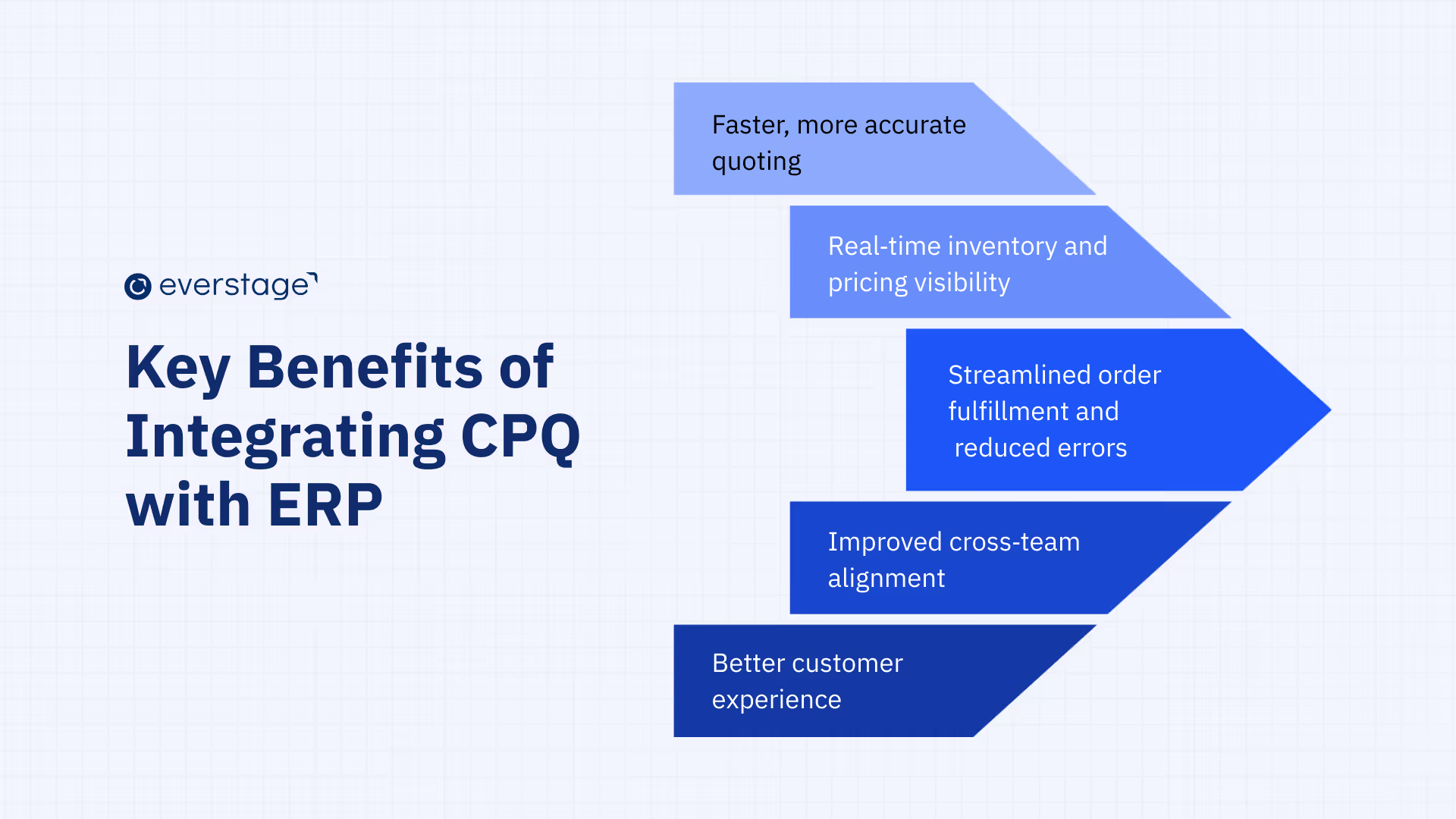
Integrating CPQ with ERP isn’t just a technical upgrade; it’s a revenue operations advantage. When sales execution and operational systems are connected, teams move faster, make fewer mistakes, and deliver a better customer experience without adding manual overhead.
Here are the most impactful benefits of CPQ ERP integration.
1. Faster, More Accurate Quoting
One of the most immediate benefits shows up at the very start of the sales process.
With ERP data flowing into CPQ, sales teams work with:
- Up-to-date product catalogs
- Approved pricing and discount thresholds
- Customer-specific terms and contracts
This eliminates guesswork and reduces dependency on finance or operations for every exception. Quotes that once took days of back-and-forth can now be generated in minutes, with built-in validation.
The result is faster deal cycles, higher win rates, and fewer pricing or configuration errors slipping through.
2. Real-Time Inventory and Pricing Visibility
Nothing erodes trust faster than selling something that can’t be delivered.
When CPQ is integrated with ERP, sales teams gain real-time visibility into:
- Inventory availability
- Product lead times
- Region-specific pricing and taxes
This allows reps to set accurate expectations with customers during the sales conversation, not after the deal is signed. It also helps prioritize sellable products and avoid last-minute order changes that delay fulfillment.
3. Streamlined Order Fulfillment and Fewer Errors
Manual order handoffs are one of the biggest sources of revenue leakage.
With CPQ ERP integration:
- Approved quotes convert directly into ERP-ready orders
- Product configurations don’t need re-interpretation
- Pricing and quantities remain consistent from quote to invoice
Operations teams no longer need to fix incomplete or ambiguous orders, and finance doesn’t have to reconcile mismatched numbers. Clean data moves through the system once, correctly.
This reduces rework, shortens order processing time, and improves on-time delivery rates.
4. Improved Cross-Team Alignment
Disconnected systems create disconnected teams.
CPQ ERP integration aligns sales, finance, and operations around a single flow of data. Everyone works from the same source of truth, even though they interact with different systems.
- Sales understands what can be sold and delivered
- Finance maintains pricing control and compliance
- Operations receives clean, executable orders
This shared visibility reduces friction, improves accountability, and eliminates the “sales vs. ops” tension that often surfaces during rapid growth.
5. Better Customer Experience
All of these benefits compound into one outcome customers care deeply about: a smoother buying experience.
Customers receive:
- Accurate quotes the first time
- Fewer post-signature changes
- Faster order confirmation and fulfillment
- Consistent pricing and billing
Instead of delays and corrections, the buying journey feels predictable and professional, building trust and increasing the likelihood of renewals and expansion.
CPQ ERP integration creates a foundation where speed, accuracy, and control coexist. It allows revenue teams to scale without introducing chaos into operations.
Core CPQ & ERP Integration Components
Successful CPQ-ERP integration depends on several technical and operational components working together. Each component ensures that data flows accurately between systems and that both sales and operations can rely on real-time information.
1. Product and Pricing Data Mapping
Product and pricing data mapping ensures that what sales configure and prices in CPQ align exactly with how ERP recognizes products, SKUs, and price structures. ERP typically owns the master data, while CPQ applies selling logic such as bundles, rules, and discounts.
When mappings are clean and consistent, approved quotes translate directly into executable orders. Poor mapping, on the other hand, leads to failed order creation, pricing discrepancies, and downstream rework that slows fulfillment and billing.
With Everstage CPQ, product and pricing mapping happens through a no-code interface that lets RevOps teams define rules, bundles, and pricing logic without engineering support. This flexibility ensures your CPQ stays aligned with ERP data as products and pricing strategies evolve.
2. Customer and Sales Data Synchronization
Customer and sales data synchronization keeps both systems aligned on account details, billing entities, and commercial terms. ERP usually acts as the system of record for customer and legal data, while CPQ relies on this information to apply correct pricing, contracts, and compliance rules during quoting.
At the same time, CPQ generates deal-level data that ERP must consume once a quote is accepted. Consistent synchronization prevents duplicate records, billing errors, and reconciliation issues across sales, finance, and operations.
3. Order Handoff from CPQ to ERP
The order handoff is the most critical moment in CPQ ERP integration. Once a quote is approved, CPQ must pass finalized configurations, pricing, quantities, and terms into ERP in a structured, execution-ready format.
A seamless handoff eliminates manual re-entry and interpretation. It ensures that what sales are sold is exactly what operations fulfill and finance invoices, reducing delays and costly corrections.
4. Real-Time vs. Scheduled Integration Modes
Not all data needs to move at the same speed, which is why integration modes matter. Real-time integration is essential for pricing validation, inventory checks, and compliance rules during live deal negotiations.
Scheduled syncs work better for foundational updates such as product catalogs or price lists. Balancing real-time and scheduled integration ensures sales have timely data without overloading systems or compromising stability.
5. Error Handling and Auditability
Strong error handling and auditability make integration resilient as deal volume grows. Validation checks, clear error messages, and audit trails help teams quickly identify and resolve issues without stalling deals.
Auditability also gives finance confidence in pricing approvals and order changes. It ensures compliance, transparency, and traceability across the entire quote-to-cash lifecycle.
How to Successfully Implement CPQ & ERP Integration?
Implementing CPQ-ERP integration requires careful planning, clear objectives, and cross-functional alignment. A structured approach reduces risk, ensures data accuracy, and drives user adoption across sales and operations teams.
1. Defining Business Goals and Scope
Start by defining what you want to achieve with integration. Common objectives include reducing quote turnaround time, eliminating manual order entry, improving pricing accuracy, or enabling real-time inventory visibility. Be specific, aim for "reduce quote-to-order cycle time by 50%" instead of vague efficiency goals.
Scope determines which data flows between systems and which processes get automated. You might start by syncing pricing and product data, then expand to inventory and order handoff once the initial integration proves stable. Involve stakeholders from sales, finance, operations, and IT early to ensure the scope reflects real business needs.
2. Choosing the Right Integration Approach
Three main integration approaches exist: point-to-point, middleware platforms, and native integrations. Point-to-point connects CPQ and ERP directly through APIs, but becomes difficult to manage as complexity grows. Middleware platforms like MuleSoft or Dell Boomi sit between systems, managing data transformation and workflow orchestration at scale.
Native integrations are pre-built connectors offered by CPQ or ERP vendors. These require less technical setup and come with vendor support, but may offer less customization. Choose based on your technical resources, budget, and long-term scalability needs.
3. Testing, Deployment, and Validation
Testing validates that data flows correctly and workflows function as expected before going live. Start with unit testing to verify individual data mappings, then move to integration testing to validate end-to-end workflows
User acceptance testing (UAT) involves sales reps, operations staff, and finance teams using the integrated system in a test environment. Deploy in phases when possible, start with a pilot group before rolling out company-wide. Monitor performance closely during the pilot, collect feedback, fix issues, then expand.
4. Monitoring and Ongoing Optimization
Integration isn't a one-time project; systems change, and business requirements evolve. Track key metrics like quote turnaround time, order accuracy rates, manual interventions required, and data sync failures. Set alerts for integration errors so issues get addressed before they impact customers.
Schedule regular reviews with stakeholders to assess whether workflows still align with business needs. As teams use the integrated system, they identify opportunities to automate additional steps and improve data quality. Build a process for evaluating and implementing these improvements without disrupting operations.
Common Challenges with CPQ ERP Integration
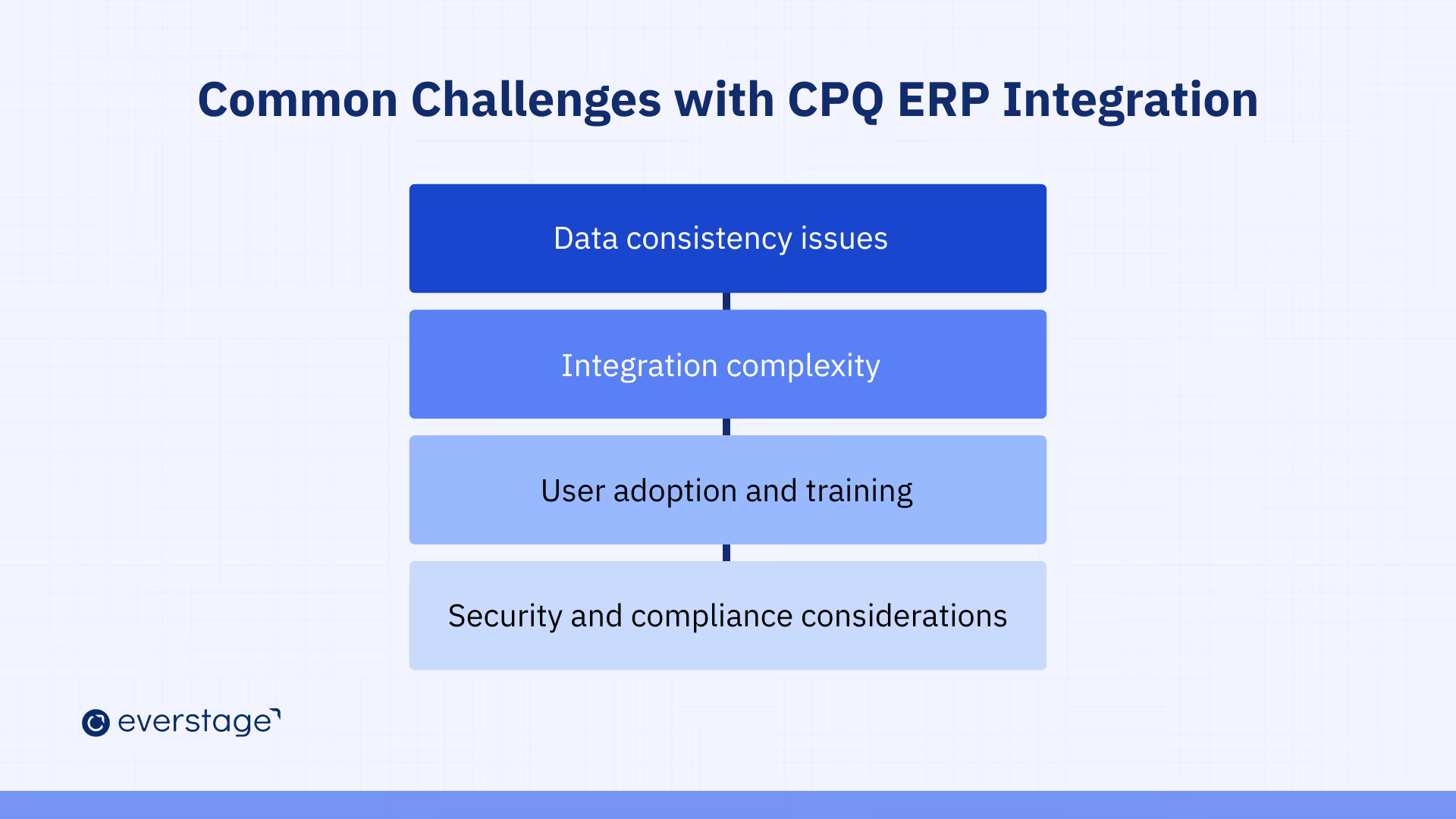
Even well-planned integrations face challenges during implementation and ongoing operations. Understanding these obstacles helps teams prepare solutions and mitigate risks before they impact business performance.
1. Data Consistency Issues
One of the most common challenges in CPQ ERP integration is maintaining consistent data across systems. Product definitions, pricing rules, or customer records often evolve independently in CPQ and ERP, leading to mismatches during quoting or order processing.
When data isn’t aligned, sales teams may generate quotes that ERP can’t process cleanly, resulting in rejected orders or manual fixes. Without strong governance and synchronization rules, these inconsistencies quietly introduce delays and revenue leakage.
2. Integration Complexity
CPQ ERP integration can quickly become complex, especially for businesses with custom products, multiple pricing models, or global operations. Each additional rule, exception, or regional requirement increases the effort required to design and maintain reliable data flows.
Complexity often grows over time as businesses scale. Without a clear integration architecture and ownership model, teams risk building brittle connections that break whenever products, pricing, or workflows change.
3. User Adoption and Training
Even a technically sound integration can fail if users don’t trust or understand it. Sales teams may revert to spreadsheets if CPQ feels restrictive, while operations teams may bypass automated orders if they’ve experienced errors in the past.
Successful adoption requires clear communication, training, and visibility into how CPQ ERP integration supports each role. When teams understand the “why” behind the integration, they’re far more likely to rely on it consistently.
4. Security and Compliance Considerations
CPQ ERP integration often involves sensitive data, including pricing, customer contracts, and financial records. Poorly designed integrations can expose this data to unauthorized access or create compliance gaps across systems.
Strong security controls, access management, and audit trails are essential to protect data and meet regulatory requirements. Compliance becomes especially critical for global organizations operating across different tax, data privacy, and revenue recognition frameworks.
These challenges aren’t reasons to avoid CPQ ERP integration; they’re signals that integration must be planned thoughtfully. With the right data governance, architecture, and cross-team alignment, most of these issues are preventable.
How to Choose the Right CPQ for Your ERP?
Selecting the right CPQ for your ERP is a strategic decision that directly impacts how well your sales, finance, and operations teams scale together. The goal isn’t just technical compatibility; it’s choosing a CPQ that fits your sales complexity today while remaining flexible as your business evolves.
1. Compatibility with Major ERPs
The first consideration is how well the CPQ works with your existing ERP. A CPQ that already supports native or proven integrations with your ERP reduces implementation risk and shortens time to value.
Strong compatibility ensures that product structures, pricing logic, customer records, and orders move cleanly between systems. Without it, teams often rely on custom workarounds that increase maintenance effort and break as systems change.
Everstage CPQ offers native integrations with leading ERP systems, reducing implementation time and technical complexity. Its flexible API architecture supports custom data flows for unique business requirements while maintaining clean, auditable synchronization between sales and operations.
2. Integration, Flexibility, and API Support
No two businesses sell the same way, which is why integration flexibility matters. The right CPQ should support APIs, middleware, or integration platforms that allow you to adapt data flows as pricing models, products, or workflows evolve.
Flexible integration makes it easier to support edge cases such as custom bundles, amendments, renewals, and multi-entity billing. Rigid integrations may work initially, but become a constraint as deal complexity grows.
3. Scalability and Future-Proofing
CPQ decisions shouldn’t be based only on current needs. As deal volume increases and sales motions expand across regions, products, or channels, the CPQ must scale without degrading performance or accuracy.
A future-ready CPQ supports new pricing strategies, additional ERPs or financial systems, and evolving compliance requirements. Choosing a solution that can grow with the business prevents costly replatforming later.
4. Sales Usability Without Compromising Control
Adoption is just as important as architecture. A CPQ must be intuitive enough for sales teams to use confidently while still enforcing pricing, margin, and compliance rules defined by finance and operations.
When usability is poor, reps bypass the system. When controls are too loose, risk increases. The right CPQ balances speed for sellers with governance for the business.
5. Visibility, Reporting, and Governance
Finally, consider how well the CPQ supports visibility across the quote-to-cash lifecycle. Strong reporting, audit trails, and approval tracking make it easier for finance and operations to trust the system and stay compliant.
Clear visibility also helps sales ops identify bottlenecks, optimize pricing strategies, and continuously improve performance across teams.
Choosing the right CPQ software for your ERP sets the foundation for reliable, scalable revenue operations. When integration, usability, and governance align, CPQ ERP integration becomes a long-term advantage rather than a recurring challenge.
Conclusion
CPQ and ERP integration eliminates the friction that slows revenue operations and frustrates customers. When these systems work together, sales teams quote with confidence using real-time data. Operations fulfill orders without errors or delays. Finance recognizes revenue accurately without manual reconciliation.
The benefits are measurable: faster quote turnaround, fewer pricing errors, cleaner order handoffs, and better cross-team alignment. But integration isn't just about efficiency; it's about creating a customer experience that builds trust. Accurate quotes. On-time delivery. Invoices that match what was promised.
Success requires clear objectives, the right technical approach, and ongoing optimization. Start with defined business goals. Choose an integration method that fits your technical capacity and scales with growth. Test thoroughly before deployment. Monitor performance continuously after launch.
The challenges, like data consistency, integration complexity, user adoption, and security, are manageable with proper planning and cross-functional collaboration. Organizations that treat integration as a strategic initiative, not just a technical project, see the strongest results.
Tools like Everstage CPQ simplify this process by offering pre-built integrations, flexible data mapping, and real-time synchronization with major ERP platforms. This reduces implementation time, minimizes technical complexity, and ensures your sales and operations teams work from a single source of truth.
Ready to connect your quote-to-cash process? Book a demo to see how Everstage CPQ integrates with your ERP to improve accuracy, speed, and revenue performance.
Questions worth asking
The things most people want to know before they commit.
What is CPQ ERP integration, and how does it work?
CPQ ERP integration means connecting your Configure, Price, Quote system with your Enterprise Resource Planning system so that data flows between them. When a quote is finalized in CPQ, structured order details (product SKUs, pricing, quantities, customer info, terms) are passed automatically into the ERP for fulfillment, inventory allocation, billing, and other backend processes. This eliminates manual handoffs and ensures consistency across sales and operations.
Why should businesses integrate CPQ with ERP?
Integrating CPQ with ERP streamlines the entire quote-to-cash process by removing duplication, reducing data entry errors, and improving accuracy. It accelerates sales cycles by ensuring real-time access to accurate pricing and inventory data in CPQ and enables faster order processing, improved operational efficiency, and better customer experiences by aligning front-office sales with back-office execution.
What data typically flows between CPQ and ERP systems?
In a CPQ ERP integration, key reference and transactional data flows both ways. ERP sends master data such as product catalogues, pricing rules, customer accounts, and inventory levels into CPQ. Once quotes are approved, CPQ sends finalized order data into ERP for processing, billing, and fulfillment. Proper data mapping and governance ensure these flows stay accurate and synchronized.
Can CPQ integrate with any ERP system?
Most modern CPQ solutions support integration with major ERP platforms through APIs, middleware, or prebuilt connectors, but compatibility depends on the systems involved and how they structure data. Before committing, it’s important to evaluate whether the CPQ supports seamless data syncing with your ERP’s data model and workflows, or if custom mapping and middleware will be needed to bridge differences.
How does integration impact sales and operations teams?
For sales, CPQ ERP integration means faster, more accurate quoting because pricing and inventory data are current and consistent. For operations and finance, it means cleaner, executable orders from the start, reducing corrections, delays, and disputes. In both cases, teams work off the same source of truth and waste less time reconciling mismatched information.
What are some challenges in integrating CPQ with ERP?
Common challenges include ensuring data consistency between systems, aligning different data models, handling complex pricing and configuration rules, and managing change control across teams. Without strong governance and planning, teams can struggle with mismatched product definitions, duplicated customer records, or failed order handoffs. Addressing these early with clear data mapping and testing helps ensure a successful integration.