.avif)
TL;DR
CPQ capabilities that enhance sales processes help improve efficiency and drive revenue growth by automating complex pricing and quoting workflows.
- Automate quoting and proposal generation to eliminate errors and speed up sales cycles.
- Enable dynamic pricing and discount management to ensure accuracy and competitiveness.
- Streamline product configuration to prevent mistakes and simplify complex setups.
- Integrate with CRM and ERP systems to optimize workflows and improve data consistency.
If your sales team is juggling spreadsheets, chasing approvals over email, and double-checking whether a product configuration is even sellable before sending a quote, you're not alone. Knowing which capabilities to prioritize starts with a clear CPQ strategy for what your system actually needs to solve.
Most teams don’t realize they need CPQ software until quoting becomes a bottleneck.
Reps spend hours configuring products manually, and deals stall when pricing rules or product compatibility aren’t clear.
CPQ (Configure, Price, Quote) software exists to solve this. It automates product configuration, pricing logic, and approvals for companies selling complex offerings or managing deals across multiple stakeholders.
But CPQ platforms vary widely in what they actually support. Some stop at basic quote generation, while others handle advanced pricing models, subscriptions, and full quote-to-cash workflows.
The difference comes down to capabilities.
In this guide, we break down the 10 core CPQ capabilities that matter most for B2B sales teams, explain when each one becomes essential, and show how to evaluate platforms based on real sales complexity. But first, understand if you really need to implement CPQ.
To make a confident decision, it also helps to compare leading cpq platforms and see how their capabilities stack up against your specific sales requirements.
Understanding how CPQ bundles work can also help you evaluate whether a platform supports the product configurations your sales team relies on.
Do You Need CPQ?
As sales teams grow and businesses expand, the complexity of their sales processes often increases. The question is no longer whether CPQ is a nice-to-have; it's whether your sales team can continue to perform at its best without it.
If you’re still relying on spreadsheets, email chains, or outdated manual systems to manage quotes and pricing, you might already be feeling the strain. Here are a few signs that CPQ could be the right solution for your business:
- Complex Product Catalogs: If your product offerings include bundles, configurations, or a variety of pricing models, managing these manually can lead to errors and inefficiencies. CPQ software helps ensure that only valid configurations are offered, preventing costly mistakes.
- Pricing Variability: Are you dealing with multiple pricing tiers, discounts, and special offers across regions, industries, or client types? CPQ can automate and optimize these processes, ensuring that the right price is applied every time without manual intervention.
- Sales Process Bottlenecks: Are your sales reps wasting too much time on administrative tasks, like configuring quotes and seeking approval for deals? CPQ streamlines these processes, enabling reps to spend more time selling rather than chasing approvals or recalculating prices.
- Inconsistent Quotes and Pricing: Are your quotes and pricing methods inconsistent? Inaccurate or inconsistent quotes can undermine customer trust and cause friction in the sales process. CPQ ensures pricing uniformity and transparency, improving accuracy across your entire sales team.
If you find your sales team struggling with these common issues, it might be time to consider CPQ software as a solution.
In fact, market data shows that 78% of companies using CPQ reduced quote turnaround times by more than 50%, highlighting how automation directly improves sales efficiency once manual processes are removed.
Let's dive into the top 10 core CPQ capabilities your business should prioritize
Top 10 Core CPQ Capabilities to Look For
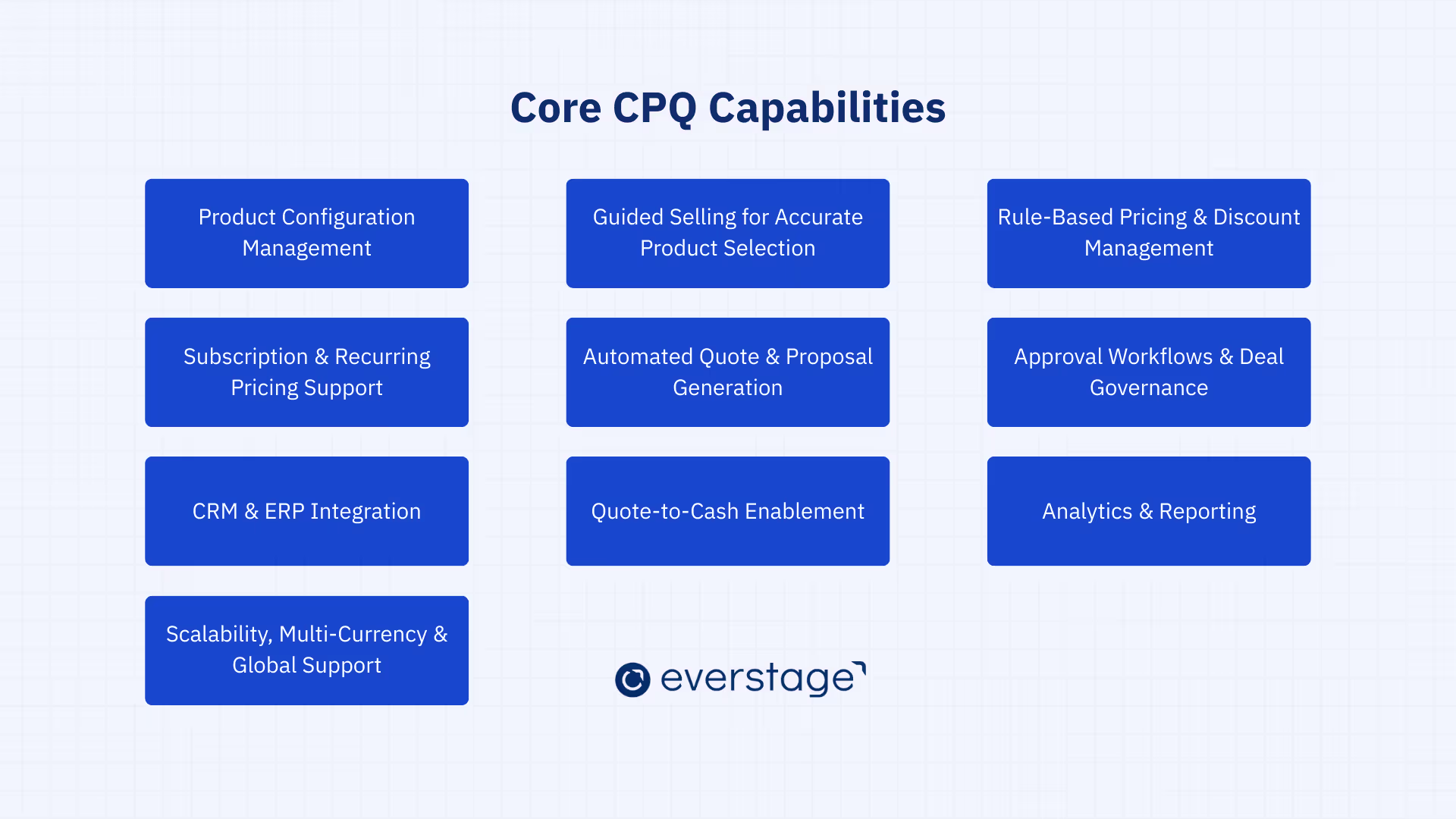
When evaluating CPQ software, it’s important to understand the key features that will make the biggest difference in your sales process. The right CPQ capabilities can automate manual tasks, improve accuracy, and enhance collaboration, ultimately leading to faster sales cycles and increased revenue.
Here are the top 10 core CPQ capabilities every modern sales team should look for:
1. Product Configuration Management
Product configuration management ensures that sales reps can easily configure products, services, and bundles based on customer needs while adhering to predefined rules. It uses a rule-based configurator that automatically selects only valid, sellable combinations, preventing incompatible configurations and errors.
As businesses grow, managing multiple product lines and services becomes more complex. Manual configuration can lead to mistakes, causing delays and customer dissatisfaction.
By automating the process, CPQ systems reduce reliance on engineering teams and give salespeople more autonomy to move deals forward.
What to look for:
Look for a CPQ system with a robust rules engine capable of handling dependencies and compatibility constraints. This ensures that only valid combinations are selected during the quoting process.
Additionally, ensure the system can handle complex product catalogs, bundles, and configurable SKUs while supporting Bill of Materials (BOM) for customized configurations.
2. Guided Selling for Accurate Product Selection
Guided selling provides a structured, interactive process that helps sales reps select the most suitable products for their customers based on predefined criteria.
By using decision trees and interactive prompts, guided selling ensures that reps make informed product recommendations that align with customer needs and pricing rules.
Complex product catalogs can overwhelm sales reps, especially those with limited experience or product knowledge. Guided selling reduces the learning curve, helping reps quickly find the best solutions.
This also leads to fewer mistakes, faster onboarding, and improved customer satisfaction as products are matched more accurately to customer needs.
What to look for:
Choose a CPQ system with interactive decision trees that guide reps through the selection process based on the customer's specific requirements.
Additionally, look for real-time recommendations that provide upsell and cross-sell opportunities, ensuring every sale is maximized and aligned with business strategies.
3. Rule-Based Pricing & Discount Management
Rule-based pricing ensures that pricing is automatically adjusted based on criteria such as volume, customer type, or region.
The CPQ system applies pricing rules to ensure consistency and margin protection, while discount management tools enforce pricing guidelines and approval workflows to maintain financial control.
Manually calculating pricing and applying discounts increases the risk of errors, inconsistencies, and margin loss.
With rule-based pricing, CPQ systems streamline the pricing process by automating these decisions, allowing sales reps to focus on closing deals rather than price negotiations. This ensures that pricing remains consistent across all deals and aligns with the business’s strategic goals.
What to look for:
Ensure the CPQ system has automated pricing logic that can accommodate volume-based pricing, regional pricing, and customer-specific rates. It should also feature discounting rules that protect margins and offer multilevel approval workflows to ensure that discounts comply with internal policies.
4. Subscription & Recurring Pricing Support
For businesses that offer subscription-based or recurring pricing models, including SaaS and e-commerce companies, CPQ systems must support tiered pricing and billing frequency options, as well as the ability to handle usage-based pricing. This ensures that pricing is flexible and accurate for long-term contracts and renewals.
Subscription-based businesses, such as SaaS companies, need precise billing models to avoid discrepancies in revenue recognition and invoicing.
CPQ systems that support recurring pricing ensure that deals are quoted accurately and billed according to customer terms, which is critical for customer satisfaction and long-term revenue predictability.
What to look for:
Look for CPQ systems that support flexible billing cycles and usage-based pricing models.
The system should allow for tiered pricing and contract amendments, ensuring accurate quoting for long-term contracts. It should also handle renewals and upgrades efficiently, ensuring smooth transitions for ongoing customer relationships.
5. Automated Quote & Proposal Generation
Automated quote and proposal generation ensures that sales teams can quickly generate professional, branded quotes and proposals based on the customer’s selections.
By automating document generation, CPQ systems eliminate manual entry errors and improve quote turnaround time.
Manual quote preparation is time-consuming and error-prone, leading to delays and inconsistent documents.
Automated quote generation speeds up the process, allowing sales teams to deliver accurate customer quotes faster. This improves customer satisfaction, accelerates the sales cycle, and helps improve the overall conversion rate.
What to look for:
Choose a CPQ system with customizable templates that can auto-populate product, pricing, and discount information into a consistent format.
The system should also support automated proposal generation with dynamic content that adapts based on the customer’s configuration, ensuring every proposal is tailored and professional.
As deals grow larger and more complex, speed alone isn’t enough; sales teams also need guardrails to protect margins, enforce policies, and keep revenue predictable.
6. Approval Workflows & Deal Governance
CPQ systems enable automated approval workflows to route quotes for approval based on deal size, discount thresholds, or product type. Once approved, that governance carries through into order management, so pricing and approval terms stay intact as the deal moves to fulfilment.
Without proper approval mechanisms, discounts can spiral out of control, negatively impacting margins and profitability.
Automated approval workflows ensure that sales reps follow pricing policies, preventing unauthorized discounts and accelerating the approval process by routing deals to the appropriate stakeholders for sign-off.
What to look for:
Look for CPQ systems that offer multilevel approval workflows, allowing quotes to be routed based on predefined rules. The system should also provide real-time tracking of approval status, helping sales teams avoid delays caused by bottlenecks in the approval process.
7. CRM & ERP Integration
Integrating CPQ with your CRM (Customer Relationship Management) and ERP (Enterprise Resource Planning) systems ensures that sales teams have access to accurate and up-to-date data, such as customer details, product availability, and pricing.
This seamless integration ensures that the entire sales process flows smoothly within a broader revenue ecosystem, from quoting through order fulfillment.
Without integration, sales teams risk working with outdated or incomplete data, leading to errors in pricing, inventory, and order processing.
By syncing data across systems, CPQ enables accurate quotes and ensures that sales reps have real-time visibility into customer needs and product availability, improving both efficiency and customer satisfaction.
What to look for:
Ensure the CPQ system integrates seamlessly with popular CRM systems (e.g., Salesforce) and ERP platforms (e.g., SAP). It should offer bi-directional data syncing, ensuring that updates in one system are reflected across all relevant platforms, and provide scalability for future system upgrades.
For example, platforms like Everstage CPQ are designed to sit cleanly within existing revenue stacks, syncing customer, pricing, and deal data without adding integration overhead.
8. Quote-to-Cash Enablement
CPQ plays a crucial role in the quote-to-cash (QTC) process, enabling end-to-end flow from quote generation through order creation, invoicing, and payment collection. CPQ systems ensure that quotes are accurately converted into orders and contracts, streamlining the entire sales process.
An integrated QTC process reduces errors and delays in order fulfillment and invoicing. It ensures that pricing, product details, and discounts from the initial quote are accurately carried through to the final billing stage.
Maintaining consistent data across CRM, CPQ, ERP, and billing systems helps prevent pricing errors, duplicate entries, and billing mismatches, reducing the risk of discrepancies and improving revenue predictability.
What to look for:
Look for CPQ systems that integrate with order management and billing systems to ensure a smooth handoff from quote to order, invoicing, and payment collection.
The system should also offer visibility into revenue metrics and enable automated invoicing to improve cash flow management.
9. Analytics & Reporting
Modern CPQ tools provide powerful analytics and reporting capabilities that offer visibility into quote performance. These insights help sales leaders and finance teams make data-driven decisions to improve overall sales strategies.
Without access to data-driven insights, it can be difficult to understand why certain deals are stalling or which pricing strategies are most effective. CPQ analytics provide actionable insights that help teams refine their approaches, optimize sales cycles, and improve forecast accuracy.
What to look for:
Choose a CPQ system with real-time dashboards that track key performance metrics like quote-to-win ratios, approval bottlenecks, and discounting patterns.
The system should also offer customizable reports to analyze sales trends and help forecast revenue more accurately.
10. Scalability, Multi-Currency & Global Support
For businesses expanding internationally, CPQ systems must support multi-currency, localization, and regional pricing. This ensures that your CPQ solution can scale as your company grows and operates in multiple regions without requiring re-implementation.
As businesses grow, they often enter new markets with different currencies, tax rules, and pricing models. A scalable CPQ solution ensures that these complexities are handled efficiently, supporting international sales and compliance without slowing down operations.
What to look for:
Ensure the CPQ system offers multi-currency support with automated exchange rate calculations and localization for different regions. It should also handle regional pricing, tax rules, and language preferences, allowing businesses to scale globally without complex integrations.
With a better understanding of the core capabilities, let’s now look at how these features translate into real-world benefits for your sales process.
Benefits of Strong CPQ Capabilities
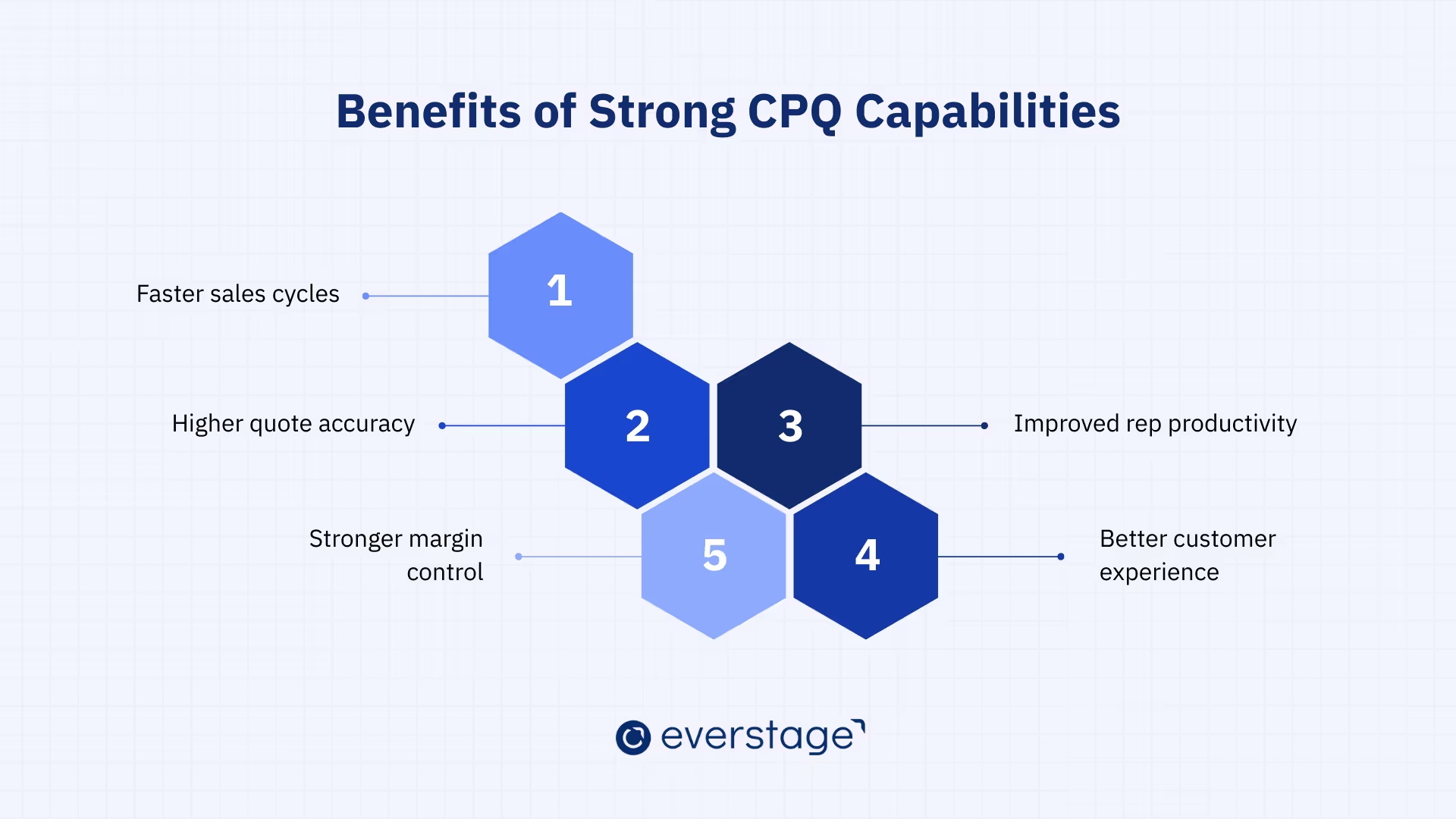
When implemented effectively, core CPQ capabilities deliver far‑reaching benefits that go well beyond faster quoting. Modern CPQ systems streamline every step of the sales process, from product selection to revenue recognition, helping businesses eliminate inefficiencies, improve accuracy, and drive measurable growth.
Below are the key benefits of implementing a robust CPQ system:
- Faster Sales Cycle and Quote Turnaround: CPQ systems automate the quote generation process, allowing sales reps to produce accurate quotes in minutes. This speeds up decision-making and reduces time to close deals, enabling teams to respond quickly to customer requests.
- Higher Quote Accuracy and Reduced Errors: By automating pricing, product configuration, and approval workflows, CPQ ensures every quote is consistent and error-free. This minimizes the risk of quoting mistakes, ensuring that customers receive accurate, reliable pricing every time.
- Increased Sales Productivity: CPQ automates routine tasks such as creating proposals and gathering approvals, freeing up sales reps to focus on selling. By reducing administrative work, sales teams can handle more opportunities and increase their deal volume.
- Greater Deal Visibility and Forecasting Accuracy: CPQ provides real-time data on the quoting process, approval status, and sales performance. This visibility helps sales leaders improve forecasting accuracy, optimize sales strategies, and make data-driven decisions to close more deals.
- Enhanced Customer Experience: CPQ enables fast, accurate, and personalized quote generation, improving customer interactions. By responding quickly and accurately to customer needs, sales teams can provide a more satisfying experience, ultimately leading to stronger customer relationships.
- Improved Deal Margins and Revenue Management: CPQ enforces pricing policies and discount controls, protecting margins from excessive discounting. With guided pricing rules, sales teams are incentivized to offer the most profitable configurations and deals, ensuring better revenue management.
- Scalability and Operational Efficiency: As businesses grow, CPQ scales with them, handling more products, complex pricing models, and international sales. This scalability ensures that sales processes remain efficient as the company expands, without introducing complexity or errors.
- Seamless Integration with CRM and ERP Systems: CPQ integrates with CRM and ERP systems to synchronize customer data, product pricing, and inventory across platforms. This ensures that sales teams always have access to the most up-to-date information, improving accuracy and efficiency.
- Reduced Training and Onboarding Costs: CPQ simplifies the sales process by guiding reps through product rules and configurations. This reduces the time and cost spent on training new hires, as they can quickly generate accurate quotes with minimal learning curve.
- Enhanced Compliance and Deal Governance: CPQ ensures that all pricing, discounts, and contract terms comply with internal policies through automated approval workflows. This improves deal governance, reduces the risk of unauthorized deals, and ensures consistency across the sales team.
These benefits highlight the transformative power of CPQ systems. By automating key sales processes and integrating data across teams, CPQ drives efficiency, improves accuracy, and ensures that your sales organization is positioned for success.
In fact, according to Nucleus Research, organizations that implemented CPQ realized an average ROI of 121%, with payback in less than 18 months. These gains come from increased sales speed, reduced rework, and greater control as pricing complexity grows.
With a clear understanding of the core CPQ capabilities and their benefits, the next step is determining how to evaluate and select the right CPQ software to meet your unique business needs.
How to Evaluate CPQ Software Based on Capabilities
Selecting the right CPQ software can feel overwhelming with so many options available. To make the right decision, it’s essential to evaluate CPQ platforms based on their capabilities, specifically those that align with your business needs and sales model.
Here is the set of key criteria for assessing CPQ software and choosing the solution that best fits your requirements.
1. Must-Have vs Nice-to-Have Capabilities
Not all CPQ features are created equal. Some capabilities are critical for driving efficiency and accuracy, while others may be more beneficial as your business grows or if your sales model is more specialized.
Must-Have Capabilities: These are the core features that are essential for any CPQ platform to function effectively. They include:
- Product Configuration Management: To ensure that products are configured correctly based on business rules.
- Rule-Based Pricing & Discount Management: To automate pricing and ensure consistency across the sales process.
- Approval Workflows & Deal Governance: To enforce pricing and discount policies and improve deal compliance.
Nice-to-Have Capabilities: These features can be beneficial but may not be required immediately, depending on your current needs and sales processes. They include:
- Advanced Analytics & Reporting: For more detailed insights into quoting performance and sales operations.
- Subscription & Recurring Pricing Support: Ideal for SaaS businesses, but may not be necessary for companies with simpler product offerings.
By categorizing features as must-have or nice-to-have, you can prioritize which capabilities are essential for your business right now and which ones may be useful as your needs evolve.
2. Capability Fit by Business Model
Every business is unique, and the way you evaluate CPQ software should be based on your specific sales model. Different industries have different requirements, and CPQ solutions need to align with these nuances.
- SaaS & Subscription Businesses: Look for CPQ systems with strong support for recurring pricing models, subscription billing, and renewals. Subscription pricing and accurate quote-to-cash integration are essential to manage long-term contracts effectively.
- High-Tech & Manufacturing Companies: These businesses often deal with complex products and configurations. Look for CPQ solutions that support product configuration management, guided selling, and complex bundles.
- Global Enterprises: If your business operates across multiple countries, consider CPQ platforms that offer multi-currency support, localized pricing, and the ability to scale with global operations.
Understanding your business model and selecting CPQ software with features that support your unique needs will help you ensure that the platform fits seamlessly into your sales process.
3. Questions Buyers Should Ask Vendors
When evaluating CPQ platforms, it’s crucial to ask the right questions to ensure the software meets your requirements. Here are some key questions to ask vendors during your evaluation process:
- Does the platform support my business’s pricing rules and configurations? Ensure the CPQ software can handle your specific product and pricing complexities.
- How easy is it to integrate with our existing CRM and ERP systems? Check if the CPQ system integrates seamlessly with your current tech stack to avoid data silos and streamline workflows.
- Is the solution scalable? Can the CPQ system grow with your business as you expand into new markets or add new products and services?
- How does the platform handle approval workflows? Evaluate how the CPQ system supports governance and deal approval processes, especially for large sales teams.
- What reporting and analytics features are included? Understand what insights the CPQ platform can provide to help improve quoting, sales performance, and forecasting.
By asking these questions, you can better understand whether a CPQ solution aligns with your business needs, growth plans, and sales strategy.
4. Avoid Overbuying or Underbuying CPQ
One of the biggest challenges in selecting CPQ software is finding the right balance between overbuying and underbuying features. Overbuying can lead to unnecessary complexity and cost, while underbuying may leave you with a solution that doesn’t meet your business’s needs.
- Overbuying: If you select a CPQ platform with too many advanced features that you don’t need, you may end up paying for capabilities that add little value to your business.
For example, a CPQ solution with extensive subscription pricing capabilities may not be necessary for a business that doesn’t deal with recurring billing.
- Underbuying: On the other hand, selecting a basic CPQ solution with too few features can limit your ability to scale your sales process as your business grows. Make sure that the platform has the core capabilities your business needs now and in the future.
The key is to evaluate the features you need for your current sales model and future growth potential. Don’t settle for a solution that only solves part of your problem or that’s too complex to implement effectively.
Conclusion
CPQ software is only as valuable as the capabilities it brings to your sales process. A platform that can't handle your product complexity, pricing rules, or approval workflows won't solve your quoting problems.
The core CPQ capabilities in this guide represent what modern CPQ should do: prevent configuration errors, protect margins, enforce governance, eliminate duplicate work, and provide visibility.
But not every business needs every capability at the same level.
The key is understanding where complexity exists in your business and choosing a platform that addresses those specific challenges. Focus on capabilities that solve real problems, not feature checklists. Test with actual quotes and verify the platform scales as you grow.
When you get CPQ capabilities right and teams use CPQ effectively, sales cycles shorten, quote accuracy improves, and reps spend more time selling.
Ready to see how Everstage CPQ can support your sales process? Book a demo to explore which capabilities fit your business.
Questions worth asking
The things most people want to know before they commit.
What is CPQ software, and how does it help sales teams?
CPQ software automates product configuration, pricing, and quote generation, allowing sales teams to produce accurate, professional quotes quickly. It reduces errors, accelerates the sales cycle, and improves productivity by automating routine tasks, enabling sales reps to focus on closing deals.
How do I know if my business needs CPQ software?
If your sales process involves complex pricing models, product configurations, or manual quoting, CPQ software can improve efficiency and accuracy. It’s especially useful for businesses in industries like SaaS, high-tech, or manufacturing with complex pricing and product needs.
What are the must-have capabilities in a CPQ system?
Must-have capabilities include rule-based product configuration, dynamic pricing management, automated quote generation, and CRM/ERP integration. These ensure accurate, consistent quotes and streamline the sales process, reducing manual errors and improving overall efficiency.
How do I evaluate CPQ software options?
Evaluate CPQ based on must-have capabilities, such as product configuration and pricing flexibility. Consider scalability for future growth, integration with CRM and ERP systems, and ease of use to ensure the software meets current and future business needs.
How does CPQ software benefit sales teams in SaaS businesses?
CPQ software simplifies managing subscription pricing, renewals, and usage-based models, enabling faster and more accurate quotes. It automates contract generation, improving the sales process, reducing errors, and ensuring consistency in SaaS business models.
What should I consider when implementing CPQ software?
Focus on system integration with CRM and ERP, customization options to fit business needs, scalability for growth, and ensuring proper training and ongoing support for smooth user adoption and effective use of the software.