TL;DR
Configuring products in CPQ simplifies how sales teams handle complex offerings by automating rules, options, and pricing to deliver accurate quotes faster.
- Eliminate manual errors by using product bundles, constraints, and configuration rules
- Enable reps to customize products confidently with guided selling workflows
- Speed up deal cycles by automating configuration and quote generation
- Improve buyer experience with consistent, personalized, and error-free proposals
Last quarter, a manufacturing client lost a $400K deal because their sales rep quoted an impossible product configuration. The customer wanted a high-torque motor in a compact chassis, a combination that physically couldn't work. By the time engineering caught the error, the buyer had already signed with a competitor who got the specs right the first time.
This isn't an isolated incident. When you're selling complex products with dozens of options, features, and dependencies, manual configuration becomes a minefield. Sales reps can't memorize every compatibility rule. Spreadsheets can't enforce product logic. And customers won't wait three days for a quote that might be wrong anyway.
That's the problem CPQ (Configure, Price, Quote) software was built to solve. These systems don't just generate quotes; they guide users through configuration workflows that make invalid combinations impossible. The right engine always pairs with the right chassis. Pricing updates automatically when features change. And quotes go out in minutes instead of days.
According to Salesforce research, 83% of sales teams using AI-powered tools like CPQ saw revenue growth in the past year, compared to 66% without. The difference isn't just speed; it's accuracy, consistency, and the ability to handle complexity at scale.
Whether you're selling industrial equipment, enterprise software subscriptions, or telecommunications bundles, product configuration in CPQ transforms how your team builds quotes. This guide walks you through exactly how to set it up, from defining product families to testing your first configured quote.
Let's start with the basics.
What is Product Configuration in CPQ?
Product configuration in CPQ is the process of defining how a product can be built, customized, and sold using predefined rules, options, and dependencies, so every quote generated is valid and accurate by design.
In simple terms, it answers one critical question for sales teams:
“What combinations of products, features, and options are allowed for this customer?”
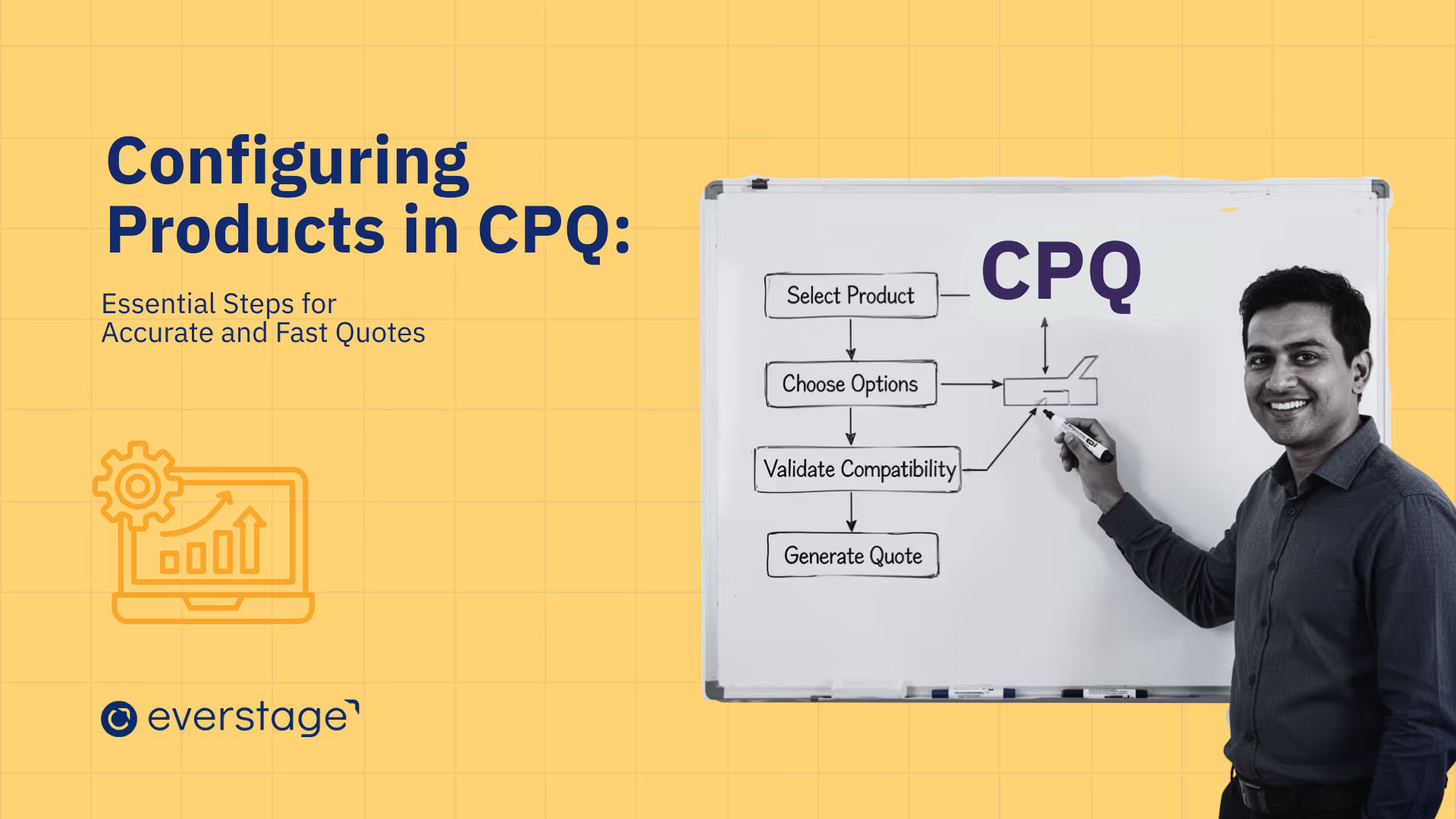
Within a CPQ system, product configuration sits at the very first step of the Configure → Price → Quote workflow. Before pricing or quoting happens, CPQ ensures the product itself is correctly assembled.
1. How product configuration works in CPQ
Instead of relying on static product catalogs or rep memory, CPQ turns products into structured, rule-driven models. Each product is broken down into:
- Base products – the core offering
- Options and features – add-ons, upgrades, or variations
- Rules and constraints – logic that defines what can or cannot be selected together
As a sales rep configures a product, CPQ dynamically validates every choice in real time. If an option is incompatible, it’s automatically blocked. If a feature requires another component, CPQ prompts the rep to include it.
This removes guesswork entirely.
2. Product configuration vs. simple product selection
It’s important to distinguish product configuration from basic catalog selection.
- Product selection: Choose from a list of predefined SKUs
- Product configuration: Build a custom solution based on customer needs, rules, and dependencies
For example, selling a SaaS plan with user tiers, integrations, support levels, and contract terms isn’t just picking a SKU; it’s assembling a tailored package. CPQ ensures that the package is sellable, compliant, and priced correctly.
3. Why product configuration matters in complex sales
As products grow more modular and buyers expect personalization, configuration becomes unavoidable. Without CPQ, complexity leads to:
- Invalid product combinations
- Pricing inconsistencies
- Longer approval cycles
- Rework during contract or fulfillment
With CPQ-driven product configuration, complexity is handled upfront. Sales reps can confidently configure solutions, even for highly customized deals, without involving product, finance, or ops at every step.
Key Components of Product Configuration
.avif)
Product configuration in CPQ relies on several interconnected components that work together to ensure accurate, valid, and efficient product selection. Understanding these building blocks helps you design a configuration system that scales with your business.
1. Product Bundles
Product bundles group related items into a single configurable package. Instead of selling components individually, you create a parent product that contains multiple child products, some required, others optional.
For example, a telecommunications bundle might include internet service (required), phone service (optional), and equipment rental (optional). The customer configures the bundle by selecting which optional components they want, and the CPQ calculates total pricing automatically.
Bundles streamline the sales process by presenting related products together rather than forcing reps to manually add each component. They also simplify pricing since bundle-level discounts can apply across all included items.
Static bundles include a fixed set of products that always sell together. For example, a SaaS starter package or a preconfigured hardware kit with standard components. Use static bundles when offerings are standardized, pricing is predictable, and quick quoting matters.
Dynamic bundles adjust options based on earlier selections. For instance, choosing a specific internet speed may show only compatible routers or support plans. Use dynamic bundles when products are modular, rules are complex, and customers expect tailored configurations.
2. Options and Features
Options are the individual products or components that can be added to a bundle. Features are the logical groupings that organize related options.
A laptop configuration might have features like "Processor," "Memory," and "Storage." Under the Processor feature, options might include "Intel i5," "Intel i7," and "Intel i9." Under Memory, options could be "8GB," "16GB," or "32GB."
Features help structure the configuration experience. Instead of showing a flat list of 50 components, the CPQ presents organized categories that guide users through each decision point sequentially.
3. Option Constraints
Constraints define compatibility rules between options. They prevent invalid combinations by restricting which options can be selected together.
Consider a server configuration. A basic power supply might support up to four hard drives. If a customer tries to add a fifth drive, the constraint rule either blocks the selection or automatically upgrades the power supply to a model that supports more drives.
Constraints work in multiple directions. Inclusion constraints require certain options when others are selected. Exclusion constraints prevent incompatible options from being chosen together. Dependency constraints create hierarchies where Option A must be present before Option B becomes available.
4. Configuration Rules
Configuration rules automate the logic that governs how products can be configured. CPQ systems typically support three types of rules:
- Validation rules: Check configurations for errors before allowing them to proceed. If a customer tries to configure a product that violates business logic, like selecting a software feature that requires a higher-tier license, validation rules catch it and display an error message.
- Selection rules: Automatically add, remove, or recommend products based on what's already in the configuration. When a customer selects a high-performance graphics card, a selection rule might automatically add a more powerful cooling system or suggest a larger power supply.
- Alert rules: Warn users about suboptimal configurations without blocking them. If a customer chooses a configuration that's technically valid but not recommended, like a laptop with maxed-out RAM but a slow processor, an alert rule can surface a message suggesting a more balanced build.
These rules encode institutional knowledge that would otherwise exist only in the heads of experienced sales engineers. A new rep can configure complex products accurately because the system guides them through every decision.
5. Configuration Attributes
Attributes are the customizable properties that define how a product is built. Common attributes include dimensions, materials, colors, capacities, and performance specifications.
In a made-to-order furniture business, attributes might include wood type, finish, dimensions, and hardware style. The customer selects their preferences, and the CPQ uses those attributes to determine manufacturing requirements and pricing.
Attributes must remain consistent across different objects in your sales system. If “Color” is defined as an attribute on a product option, it should also exist on quote items and order items. This consistency ensures data flows cleanly from configuration through quoting, ordering, and fulfillment without manual fixes or mismatches.
6. Guided Selling
Guided selling tools help sales reps and customers navigate complex configurations by asking qualifying questions and recommending appropriate options based on the answers.
Instead of presenting all 200 possible configurations upfront, guided selling might ask: "What's your primary use case?" Based on the answer, whether it's "data analytics," "web hosting," or "application development,” the CPQ filters options and suggests pre-built configurations optimized for that use case.
This is especially valuable for less experienced sales reps or self-service buying experiences where customers may not understand technical specifications. The system translates business requirements into product selections automatically.
These six components work together to create a configuration engine that's both flexible and foolproof. Product bundles organize offerings. Options and features structure choices. Constraints prevent errors. Rules automate logic. Attributes capture customization. And guided selling makes it all accessible to users who aren't product experts.
With this foundation in place, let's walk through exactly how to set up product configuration in your CPQ system.
Step-by-Step Process to Set Up Product Configuration
.avif)
Setting up product configuration in CPQ requires methodical planning and execution. This step-by-step guide walks you through the entire process, from understanding your product catalog to testing your first configured quote.
Step 1: Understand Your Products
Before building anything in CPQ, map your complete product catalog with features, options, and customization points. Identify which attributes matter: color, size, capacity, material, performance specs. Document every customization option customers currently request.
Collect detailed product specifications, compatibility requirements, and pricing variables. This foundation prevents rework later when you discover missing configuration options mid-implementation.
Step 2: Group Products into Product Families
Organize products into logical families sharing common characteristics. A technology company might create families like "Enterprise Servers," "Network Equipment," and "Storage Solutions." Grouping simplifies configuration by applying shared rules and attributes across family members.
Product families also streamline catalog management, add a new server model to the Enterprise Server family, and inherit existing configuration logic automatically.
Step 3: Create Product Bundles
Build parent bundle products containing related components as child options. A "Conference Room Solution" bundle might include a display (required), an audio system (optional), video conferencing equipment (optional), and installation services (optional).
Define which components are mandatory versus optional. Set bundle-level pricing rules that apply discounts across all included items rather than pricing each component individually for efficiency.
Step 4: Define Features for Product Configuration
Create features for each bundle that organize related options into decision categories. A cloud infrastructure bundle might have features like "Compute Capacity," "Storage Type," "Data Transfer," and "Support Level." Under each feature, assign specific product options. "Compute Capacity" might include "2 vCPU," "4 vCPU," "8 vCPU" options.
Features guide users through configuration decisions sequentially rather than overwhelming them with choices.
Step 5: Set Configuration Attributes
Create picklist fields for customizable attributes like color, size, capacity, and material. Ensure attributes exist consistently across Product Option, Quote Line Item, and Order Product objects for seamless data flow. A furniture configurator needs "Wood Type," "Finish," and "Hardware Style" attributes synchronized across all objects.
Everstage CPQ maintains attribute consistency automatically, eliminating manual synchronization errors across your sales process.
Step 6: Build Product Rules (Validation, Selection, and Filter)
Implement validation rules preventing invalid configurations, blocking small chassis with large engines, for example. Create selection rules that automatically add required components when dependencies exist, adding a warranty when specific equipment is selected.
Build filter rules refining available options in dynamic bundles, showing only compatible memory modules for the selected processor. Rules encode product knowledge that would otherwise require engineering review for every quote.
Step 7: Configure Layout & Events
Define configuration types, Required, Optional, or Recommended, for each bundle component. Set configuration events controlling when configuration screens appear: "Always" shows configuration immediately, "On Demand" waits for user action.
Organize option layouts using sections, tabs, or wizard-style interfaces. Effective layout reduces cognitive load, guiding users through complex configurations without confusion or errors.
Step 8: Test Your Product Configuration
Add configured bundles to test quotes and verify all selections appear correctly in Quote Line Items. Test edge cases, maximum configurations, minimum configurations, and conflicting options. Confirm pricing calculations include all selected components with appropriate discounts.
Validate that configuration rules fire correctly, and invalid combinations are blocked. Testing catches configuration logic errors before they reach customers or create fulfillment issues downstream.
With the configuration properly set up, your sales team can generate accurate quotes in minutes instead of hours. The system enforces product logic automatically, eliminating the configuration errors that delay deals and frustrate customers.
Why Configure Products in CPQ? Key Business Benefits
Before we look at how CPQ configuration impacts sales outcomes, it's important to understand the foundational benefits that make those outcomes possible. These aren't revenue metrics; they're operational improvements that fix broken processes and create better customer experiences.
1. The Problem CPQ Solves
As product complexity increases, manual configuration creates predictable problems. Sales reps spend hours building quotes, only to discover incompatibilities during fulfillment.
Engineering teams waste time reviewing configurations that should never have reached their desk. Customers wait days for quotes, then receive proposals with errors that require another round of revisions.
CPQ solves this by enforcing logic, rules, and dependencies during configuration instead of catching mistakes later. The system prevents errors at the point of selection, not after quotes are sent.
2. Reduced Configuration Errors
Validation, selection, and constraint rules prevent incompatible product combinations before quotes are generated. A sales rep can't accidentally pair a high-voltage component with a low-capacity power supply because the CPQ blocks invalid selections.
This eliminates the rework cycles that happen when operations or engineering catch errors after the quote is approved. No more approval loops, no revision requests, no production delays from unbuildable configurations.
3. Faster Product Configuration
Guided workflows and automated dependencies eliminate manual decision-making that slows quote creation. Instead of researching which components work together, sales reps follow prompts that surface compatible options automatically.
What used to take hours of spreadsheet work and consultation with technical teams now happens in minutes. The CPQ makes product expertise accessible to every rep, regardless of their technical depth or tenure.
4. Customization with Built-In Guardrails
CPQ allows flexible product personalization without breaking pricing or feasibility rules. Customers get exactly what they need, custom configurations tailored to their requirements, but every configuration is guaranteed to be sellable, supportable, and profitable.
The system lets you offer deep customization at scale without creating operational chaos or margin erosion from impossible-to-deliver quotes.
5. Consistency Across Reps and Channels
Standardized configuration logic ensures the same product is built the same way, regardless of who's doing the configuring. A new rep in Austin configures the same bundle identically to a senior rep in Boston. Partner channels follow the same rules as your direct sales team. Self-service portals enforce the same constraints as rep-assisted sales.
This consistency eliminates the variability that creates fulfillment problems and customer confusion.
6. Better Customer Experience
Customers receive accurate, relevant configurations without delays or back-and-forth revisions. They don't get quotes for products that can't be delivered. They don't wait three days while your team checks compatibility.
They don't receive follow-up emails saying, "Actually, we need to change these components." The configuration they see is the configuration they get, creating confidence and trust in your sales process.
When CPQ product configuration is combined with incentive compensation management (ICM), the impact goes beyond quote accuracy. CPQ ensures products are configured correctly, while platforms like Everstage align commissions with those configurations, ensuring reps are rewarded accurately for what they sell. This alignment improves pricing discipline, reduces disputes, and keeps revenue operations consistent end-to-end.
Once these foundational benefits are in place, CPQ configuration starts showing measurable impact on sales performance. Let's look at how these improvements translate into tangible business outcomes.
How CPQ Configuration Impacts Sales Outcomes
The operational improvements from CPQ configuration directly translate into measurable sales performance gains. Here's how fixing configuration problems improves the metrics that matter.
1. Faster Sales Cycles
Automated configuration collapses quote turnaround time from days to minutes. Sales reps no longer wait for engineering review on standard configurations or spend hours researching product compatibility. The CPQ validates everything instantly, allowing reps to send accurate quotes while customers are still engaged.
According to Gartner research, reducing quote cycle time by even 20% can improve win rates by 10-15% in competitive markets where speed matters.
2. Increased Quote Accuracy
Error-free quotes improve customer satisfaction and eliminate the revision cycles that kill momentum. When every configuration is validated before the quote goes out, customers don't receive follow-up corrections or scope changes.
This accuracy builds trust; buyers know your quotes are reliable, which reduces their perceived risk in choosing your solution. Fewer errors also mean fewer lost deals due to pricing mistakes or delivery delays from unbuildable configurations.
3. Enhanced Personalization
CPQ tools enable deep product customization without adding operational complexity. Customers get configurations tailored to their exact requirements, specific features, capacities, integrations, and service levels, while you maintain control over what's actually deliverable.
This personalization improves close rates because buyers see solutions built for them, not generic packages they need to adapt. McKinsey research shows that companies that lead in personalization generate about 40% more revenue than their slower-growing counterparts.
4. Improved Productivity
Sales reps spend less time on configuration mechanics and more time on actual selling activities. Instead of researching product specs, calling engineering, or building quotes manually, reps focus on understanding customer needs and positioning value.
This productivity gain compounds across your entire team. If each rep saves five hours per week on quote creation, that's 250 hours per year per rep redirected toward revenue-generating activities.
5. Increased Cross-Selling Opportunities
Automated recommendations surface complementary products during configuration that reps might not think to offer. When a customer selects a specific component, selection rules can automatically suggest upgrades, accessories, or related products that enhance the primary purchase.
These intelligent prompts increase deal size without requiring reps to memorize your entire catalog. The CPQ essentially coaches every rep toward optimal configurations that maximize both customer value and revenue.
These outcomes explain why companies using CPQ see measurable improvements in quota attainment and revenue per rep. The tool doesn't just make configuration faster; it makes your entire sales motion more effective.
But implementing CPQ isn't without challenges. Let's look at the common obstacles you'll face and how to overcome them.
Challenges in Product Configuration with CPQ and How to Overcome Them
CPQ delivers significant benefits, but implementation comes with real challenges. Understanding these obstacles upfront helps you plan around them instead of discovering problems mid-rollout.
1. Complexity in Product Rules
As your product catalog grows, configuration rules multiply exponentially. A catalog with 50 products might have hundreds of compatibility rules, constraint logic, and pricing dependencies. Maintaining this complexity becomes difficult; every new product requires validation against existing rules to prevent conflicts. Changes to one rule can create unintended consequences elsewhere.
How to overcome it:
Start simple. Configure your highest-volume products first with basic validation rules. Add complexity gradually as you learn how rules interact. Document every rule's purpose and dependencies.
Use a testing environment to validate rule changes before pushing them to production. Everstage CPQ includes rule conflict detection that flags potential issues before they affect live quotes.
2. Integration with Legacy Systems
CPQ doesn't operate in isolation; it needs data from your CRM, ERP, inventory systems, and pricing databases. Legacy systems often lack APIs or use outdated integration methods. Data formats don't match. Product codes differ across systems. Real-time synchronization becomes challenging when systems weren't designed to communicate.
How to overcome it:
Map your integration requirements before selecting a CPQ platform. Identify which systems must sync in real-time versus batch updates. Work with vendors who have pre-built connectors for your existing stack. Budget for middleware or integration platforms if direct connections aren't feasible.
Start with one-way data flows (CPQ pulling from existing systems) before attempting bidirectional sync.
3. Training and Adoption Barriers
Sales teams resist new tools that change their established workflows. Top performers especially resist; they've developed their own methods and don't want to learn new systems. Without adoption, your CPQ investment delivers no value. Reps continue building quotes manually, using the CPQ only when forced to by management.
How to overcome it:
Involve sales reps in the configuration design process. Show them how CPQ eliminates their current pain points, less time on admin, fewer revision requests, and faster approvals. Create role-specific training focused on their actual workflows, not generic system walkthroughs.
Identify early adopters who can champion the tool and provide peer support. Track adoption metrics and address resistance quickly before it spreads.
Choosing the Right CPQ Solution for Product Configuration
Selecting the right CPQ platform determines whether configuration becomes a competitive advantage or an implementation nightmare. Not all CPQ tools handle product complexity equally; some excel at simple catalogs, others support deep configuration logic, and a few manage both.
1. Evaluate Configuration Capabilities
Look for platforms that support the specific configuration complexity your products require. Can the system handle multi-level bundles, bundles within bundles? Does it support dynamic configuration where available options change based on previous selections? Can it manage attribute-driven configuration for highly customizable products?
Test the platform with your most complex product scenario during the evaluation, not your simplest one.
2. Assess Integration Requirements
Your CPQ must connect with existing systems, CRM for opportunity data, ERP for product information, and billing systems for contract management. Evaluate pre-built integrations versus custom API development.
Ask how data flows between systems: real-time sync versus batch updates, one-way versus bidirectional. Poor integration creates data silos that reduce CPQ effectiveness and force manual workarounds.
3. Consider User Experience
Sales reps won't adopt tools that are difficult to use. Evaluate the configuration interface from a rep's perspective. Can they build a complex quote in under five minutes? Is the workflow intuitive without extensive training? Does the system provide inline guidance when compatibility issues arise?
Test with actual sales team members, not just administrators, to identify usability problems before purchase.
4. Review Rule Engine Flexibility
Configuration rules become more complex over time as your product portfolio evolves. The CPQ should support validation rules, selection rules, alert rules, and filter rules without requiring developer support for every change.
Can business users create and modify rules through a visual interface? How does the system handle rule conflicts when multiple rules apply simultaneously?
5. Examine Reporting and Analytics
You need visibility into what's being configured, which options are most popular, where quotes get stuck, and how configuration impacts deal size. Strong CPQ platforms include dashboards showing configuration trends, commonly selected bundles, and abandoned configurations.
This data helps optimize your product portfolio and identify training gaps in your sales team.
6. Verify Scalability
Consider your growth trajectory. If you have 100 products today but expect 500 in two years, can the platform handle that complexity? Does performance degrade as the rule count increases? Can it support multiple business units with different catalogs and pricing structures? Replacing CPQ systems is expensive; choose one that scales with your business.
Everstage CPQ addresses these requirements with an intuitive configuration interface, pre-built CRM integrations, a flexible rule engine, and real-time analytics. The platform scales from simple product catalogs to complex multi-level bundles without requiring custom development.
Conclusion: Optimizing Product Configuration in CPQ for Sales Efficiency
Product configuration in CPQ transforms how B2B sales teams handle complex, customizable offerings. What used to require hours of research, multiple stakeholder reviews, and frequent revision cycles now happens in minutes with built-in accuracy.
The benefits are clear: reduced configuration errors, faster quote generation, consistent output across teams, and better customer experiences. These operational improvements translate directly into sales outcomes, shorter sales cycles, higher win rates, larger deal sizes through intelligent cross-selling, and more productive reps focused on selling instead of administrative work.
Implementation requires careful planning. Start by thoroughly understanding your product catalog and compatibility rules. Build configuration logic gradually, testing each component before adding complexity.
Invest in integration with existing systems and prioritize user adoption through training and change management. Choose a CPQ platform that matches your configuration needs today while scaling with future growth.
The companies seeing the strongest results treat CPQ as a continuous optimization process, not a one-time implementation. They refine rules based on sales feedback, update configurations as products evolve, and leverage analytics to identify improvement opportunities.
If your sales team currently builds quotes manually, struggles with configuration errors, or can't handle customization at scale, CPQ addresses those problems systematically. The question isn't whether to implement product configuration, it's how quickly you can start.
Ready to streamline your product configuration process? Book a demo with Everstage to see how our CPQ platform handles complex configurations, automates pricing, and generates accurate quotes in minutes.
Questions worth asking
The things most people want to know before they commit.
What is product configuration in CPQ?
Product configuration in CPQ is the process of defining valid combinations of products, features, and options using rules and logic. It ensures sales teams can build accurate, sellable solutions before pricing and quoting, without manual checks or approvals.
Why is product configuration important in CPQ?
Product configuration prevents invalid combinations, reduces quote errors, and speeds up the sales process. By enforcing rules upfront, CPQ helps sales teams sell complex products accurately while improving customer experience and deal velocity.
How does CPQ reduce product configuration errors?
CPQ reduces errors by validating selections in real time, blocking incompatible options, and automatically adding required components. This eliminates guesswork and ensures every configuration follows predefined product and business rules.
Can CPQ support customized and enterprise product configurations?
Yes. CPQ supports complex and enterprise-level customization through attributes, conditional logic, and guided selling. This allows teams to tailor solutions to customer needs while maintaining control over pricing, eligibility, and compliance.
How long does it take to configure products in CPQ?
Initial configuration timelines depend on product complexity, but most teams start seeing value by configuring core products and common deal scenarios first. A phased approach allows faster rollout and easier optimization over time.
What types of businesses need CPQ product configuration?
CPQ product configuration is ideal for B2B companies selling customizable, modular, or bundled offerings, such as SaaS, manufacturing, telecom, and professional services, where manual configuration slows deals and increases risk.