
.avif)
TL;DR
- Sales capacity planning helps revenue teams confirm they have enough productive selling capacity to hit targets. It weighs headcount and ramp time alongside quota coverage and attrition.
- Choose a headcount-based, activity-based, or hybrid model based on your business size, data maturity, and growth stage.
- Use separate formulas for total team capacity and required headcount to avoid miscalculation.
- Build ramp time and attrition into your model, and adjust for seasonality and territory complexity.
- Avoid common mistakes, such as treating all reps as equally productive or managing capacity in disconnected spreadsheets
Have you ever felt like your sales team is stretched too thin, or perhaps not stretched enough?
Your reps work hard, but some miss quota every quarter while others sit idle. Some reps drown in leads while others lack enough. When capacity planning breaks down, the symptoms surface fast. You see overloaded reps and untouched territories. Forecasts drift away from the team's actual selling capacity.
Sales capacity planning ensures your sales team has the right resources at the right time. For CROs, the real question goes beyond whether the revenue target looks ambitious. It is whether the team has enough productive capacity and quota-bearing headcount to make the target executable.
RevOps and Finance teams use capacity planning to turn revenue targets into operating plans. It answers critical questions. How many reps do we need? Where should we assign them? How much quota can each team realistically carry? What happens if ramp or attrition shifts mid-quarter?
This guide shows why sales capacity planning matters for revenue teams. You will see how it shapes hiring timing and quota coverage, plus territory allocation and revenue predictability.
You will also compare the models that keep your sales team efficient and effective.
What is Sales Capacity Planning?
Sales capacity planning determines the right number of sales reps needed to meet revenue goals while balancing resources. It analyzes factors like sales cycle length and deal size, along with team productivity and market conditions. This keeps your sales force adequately staffed.
Accurate planning prevents overstaffing, which wastes resources, and understaffing, which leads to missed opportunities. When you align your sales team's size with business objectives, RevOps and Finance teams improve forecasting and sharpen resource allocation.
Sales capacity planning connects headcount planning, territory design, and quota planning with revenue forecasting. It stays distinct from several related revenue planning disciplines:
Caption: Compares four revenue planning disciplines and the core question each one answers.
What You Need Before Building a Sales Capacity Model
Before you build a capacity model, gather the right data and align stakeholders. RevOps teams that skip this step end up with models built on shaky assumptions. Make sure you have the following ready:
- CRM data: Pipeline, win rates, average deal size, and sales cycle length.
- HR/headcount data: Current rep count by role, segment, and region.
- Historical bookings or revenue data: Past performance to set realistic baselines.
- Quota attainment history: How reps have performed against targets.
- Ramp assumptions: How long new hires take to reach full productivity.
- Attrition assumptions: Expected turnover rate over the planning period.
- Territory and account data: Coverage, account tiers, and market potential.
- Stakeholder alignment: Shared definitions and sign-off between Sales, Finance, RevOps, and leadership.
Aligning Sales and Finance on these inputs before modeling prevents downstream disputes. You avoid later arguments over quota coverage and hiring budgets.
Sales Capacity Planning Models: Headcount-Based, Activity-Based, and Hybrid
Choosing the right capacity model helps RevOps teams predict how many salespeople they need to hit future targets. The right model prevents both overburdened reps and underused resources.
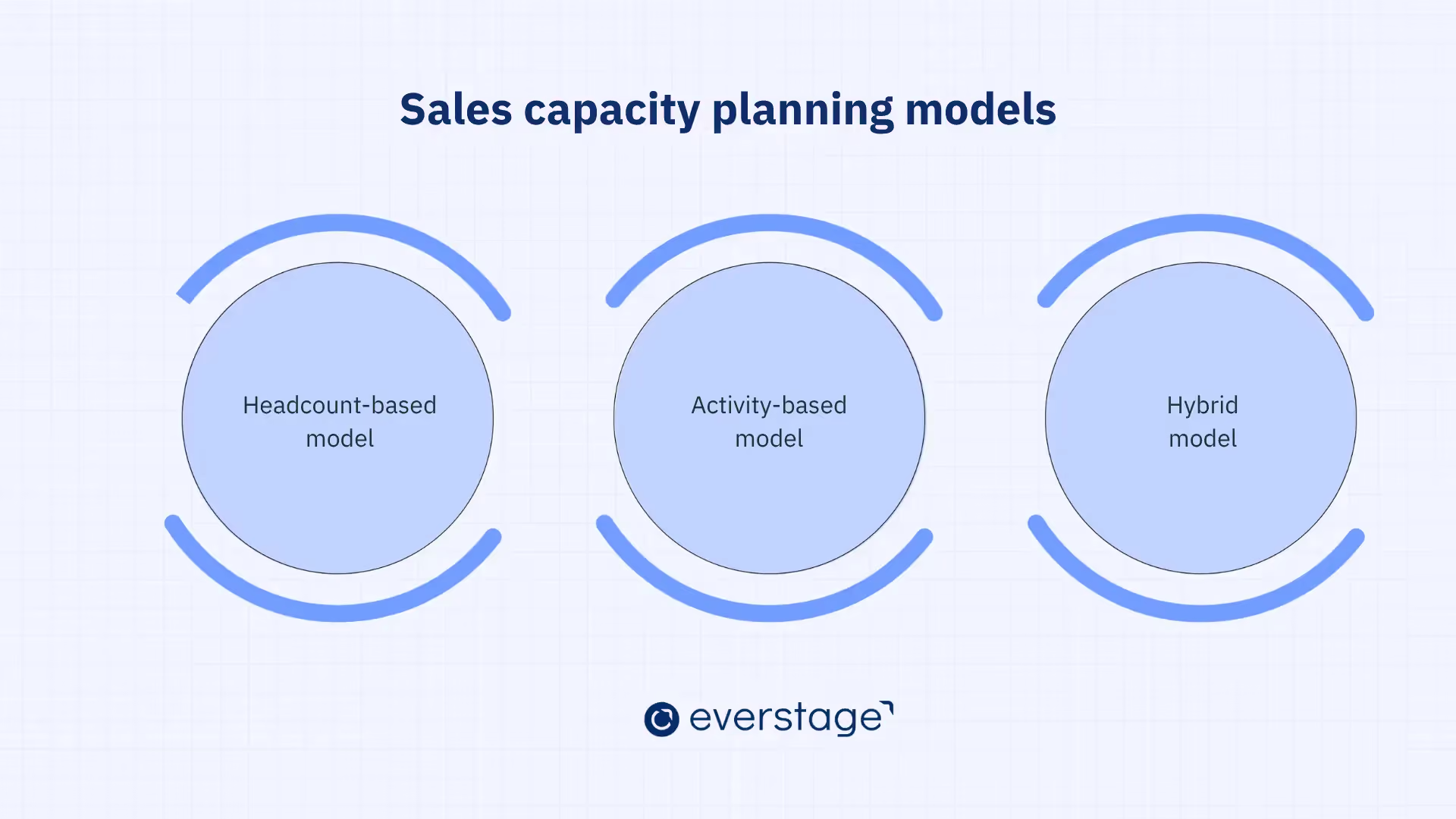
Below are the most commonly used sales capacity planning models:
- Headcount-based model
- Activity-based model
- Hybrid model
Scaling GTM teams tend to move toward a hybrid model, which pairs executive simplicity with operational accuracy. Use the table below to match a model to your planning maturity.
Caption: Compares headcount-based, activity-based, and hybrid models by best fit, inputs, strengths, and limitations.
Each model carries strengths and trade-offs. Knowing them helps you choose based on your business size and data maturity.
1. Headcount-based Model
The headcount-based model offers the simplest approach to sales capacity planning. It calculates the salespeople you need by dividing the revenue target by average revenue per rep.
This method suits smaller teams that lack advanced data tracking or that are starting capacity planning. It stays simple but overlooks rep productivity differences and non-selling time.
Say your revenue target is $5 million, and each rep generates $200K to $500K a year depending on industry and deal size. The headcount-based model then suggests you need 10 to 25 reps.
This range reflects variations in rep productivity and sales cycle length. It also covers time spent on non-revenue tasks like CRM updates and internal meetings.
In B2B SaaS with mid-market clients, reps bring in around $300K per year. Enterprise reps might close $500K to $750K annually.
The model gives a rough starting point, but its simplicity can cause miscalculations when you skip other variables. It also ignores time spent on admin duties and training, which consumes work hours while producing no direct revenue.
- Lack of granularity: The model leaves out productivity differences among team members and account types.
- Ignores non-selling activities: Many salespeople spend significant time on non-revenue tasks, and this model skips that reality.
- Assumes uniform performance: It treats every rep as equal in output, which misses real-world sales conditions.
Best For:
- Startups or small businesses with limited data resources.
- Teams with a relatively uniform sales cycle or selling strategy.
2. Activity-based Model
The activity-based model examines how individual reps spend their time. It accounts for activities like calls and emails, along with meetings and demos.
This approach gives RevOps teams a granular view of the sales process. It shows how much revenue each activity generates and how many reps you need based on actual selling time.
When teams focus on activities instead of headcount alone, they see where reps spend their time. That insight sharpens capacity planning. If your reps spend hours on cold calling or admin tasks that generate no revenue, this model highlights the inefficiency.
- Data dependency: It requires detailed tracking of sales activities, which takes time and resources.
- Complex to manage: Without the right tools, capturing accurate data on every activity gets difficult.
- Subject to change: Activity patterns shift quickly, so plans need ongoing monitoring and adjustment.
Best For:
- Mid-to-large-sized businesses with established sales processes and CRM systems.
- Teams that want to track specific sales activities and optimize productivity at a granular level.
3. Hybrid Model
The hybrid model combines the simplicity of the headcount-based model with the precision of the activity-based model. It uses a basic headcount ratio to estimate how many reps are required, and it incorporates activity-based metrics to fine-tune that estimate.
This approach helps scaling GTM teams that want a balance between simplicity and data accuracy.
The hybrid model provides a realistic view of sales capacity because it accounts for both the number of reps needed and the level of activity required to reach your revenue goals.
It also lets teams adjust for rep experience and activity levels, plus time spent on non-sales tasks. The result is a fuller picture of team performance.
A team might first calculate headcount from revenue goals. Then it adjusts those numbers using expected sales activities per rep, such as calls and demos. It also weighs ramp-up time and turnover rates against sales cycle length.
- More complex than headcount-only models: Combining revenue targets with activity data adds layers of work.
- Requires data maturity: The hybrid model works best with accurate data on both headcount and activities.
- Frequent adjustments needed: It requires ongoing monitoring of activities to keep plans relevant.
Best For:
- Growing businesses that need a more accurate, flexible model as they scale.
- Teams with access to CRM tools or sales analytics platforms that track activity levels and sales performance.
How to Choose the Right Sales Capacity Planning Model
The right model depends on your business size and sales cycle complexity, plus your data availability and growth rate. Here is a breakdown to guide your decision:
- Small Businesses and Startups: The headcount-based model installs fastest. It works well when you start tracking capacity or run a small team with steady performance. It gives a rough estimate from revenue goals, though growth will push you toward more accuracy.
- Mid-sized Businesses: A growing team with more data fits the activity-based model. It demands detailed tracking but reveals how activities translate into revenue. When you want granularity and precision, this model optimizes rep productivity and resource allocation.
- Growing and Scaling Businesses: The hybrid model suits businesses that have outgrown simple headcount math but still want a straightforward approach. It blends headcount-based calculations with activity-based precision, a strong fit for scaling companies.
As you scale, start simple and graduate to more advanced methods. Whichever model you pick, success depends on reassessing and adjusting plans against real-world data and shifting conditions.
How to Measure Sales Capacity
Measuring sales capacity accurately keeps resources well allocated and the team balanced between overwork and idle time.
Below, you will find the key elements and calculations for measuring capacity, with practical examples.
Sales Capacity Formula: How to Calculate Rep Capacity and Required Headcount
Two related calculations drive this section: total team sales capacity and required headcount.
Team Sales Capacity = Number of Reps × Average Revenue per Rep × Capacity Utilization
Required Headcount = Revenue Target ÷ (Average Revenue per Rep × Capacity Utilization)
The first formula shows how much your current team can produce. The second shows how many reps you need to hit a target. Understanding how each input interacts drives accurate measurement.
- Total Revenue Target: The overall sales goal for your team over a set period, quarterly or annually. It drives the required headcount calculation.
- Number of Reps: The current count of quota-carrying reps. It drives the team sales capacity calculation.
- Average Revenue per Rep: The typical revenue one salesperson generates in the same period. It shifts with industry and deal size, plus territory. B2B SaaS mid-market reps generate $200K to $500K per year, while enterprise reps reach $500K to $750K annually.
- Capacity Utilization: The share of a rep's working time spent on revenue-generating activities like calls and demos. If a rep spends 60% of their time on these, capacity utilization equals 0.6.
Suppose your revenue target is $5 million, average revenue per rep is $400,000, and capacity utilization is 0.6 (60%). First, calculate adjusted capacity per rep: $400,000 × 0.6 = $240,000.
Required Headcount = 5,000,000 ÷ 240,000 ≈ 20.8
This means you need roughly 21 fully productive reps to hit the $5M target. If you currently have fewer than 21 reps, the team may need additional headcount or productivity improvements.
Important: Adjust required headcount for ramp time and attrition, plus segment and seasonality. A raw headcount number rarely survives real-world hiring timelines.
Example: Capacity planning for a $10M revenue target
A worked example mirrors real planning workflows better than a lone formula. Say your annual revenue target is $10M, and you plan 1.2x quota coverage to buffer attainment risk.
Caption: Lists the assumptions and values used to size headcount for a $10M revenue target.
Reaching $12M in quota capacity at $600K per fully ramped AE requires 20 fully productive AE equivalents. New hires contribute partial capacity early, and a 10% attrition buffer adds more risk. So you must hire above 20 to keep 20 productive equivalents in seat when needed. Teams should run best-case, base-case, and worst-case scenarios before they finalize the plan.
Key Considerations for the Formula:
- Accuracy of Selling Time: Know how much time reps spend on sales tasks. Many teams skip admin work and internal meetings, which distorts true selling time.
- Understanding Productivity Rate Variability: Rep productivity varies with territory and market conditions, along with deal complexity. Monitor and adjust for this variability to measure capacity accurately.
- Realistic Quotas: Base quotas on historical performance and market conditions. Aggressive quotas cause burnout, while conservative quotas leave sales capacity underused.
Key Inputs for Sales Capacity Planning Calculations
Several key inputs shape your capacity calculations directly.
- Selling Time: Selling time covers the working hours a rep spends on revenue-driving activities like calls and proposals. That time varies with the product type and sales cycle, plus the rep's experience.
- Ramp-up Period: The ramp-up period covers the time a new rep takes to reach full productivity. New hires learn the product and study the market while building pipeline. They contribute less revenue than seasoned reps during this stretch.
- Turnover Rate: Turnover rate measures the share of reps who leave over a given period. It hits your team's capacity hard. High turnover raises hiring and training costs, and it opens coverage gaps that cost you deals.
An accurate, real-time view of capacity lets you align resources with business goals. That alignment drives revenue growth and stronger sales performance.
Key Sales Capacity Planning Metrics to Track
A consolidated metric set keeps your capacity model honest. The KPIs below feed every calculation, and each carries a planning implication.
Caption: Lists nine capacity KPIs, why each matters, and how each shapes the plan.
How to Build a Sales Capacity Model (Step-by-Step)
Building a sales capacity model optimizes team performance and prepares your business to hit revenue targets.
A well-constructed model helps RevOps and Finance teams avoid overstaffing or understaffing while maximizing sales potential.
The step-by-step guide below shows how to build a model that drives results.
Step 1: Analyze Your Current Sales Performance
Start by understanding how your sales team performs today. Evaluate metrics that reveal team efficiency, like pipeline conversion rates and average deal size, plus quota attainment.
These metrics show where your sales process works well and where it needs improvement.
Step 2: Estimate Rep Productivity and Selling Time
Estimate how much productive selling time each rep has. Productivity here means the revenue a rep generates in a given period.
Time spent on direct selling matters, and so does how reps manage that time. Map selling time against non-selling activities like admin tasks and internal meetings.
Step 3: Define Revenue Targets and Quota Expectations
Define revenue goals at the organizational level and for individual reps. Clear, achievable targets anchor your capacity planning and align the whole team on shared objectives.
Revenue Targets: Clear targets guide your team's effort. Your target should reflect growth ambitions while staying realistic against historical performance and market conditions. A fast-growing business may set higher targets to capitalize on momentum.
Quota Expectations: Each rep needs a quota that aligns with overall revenue targets, so connect capacity planning to quota planning before rollout. Keep quotas realistic against your team's capacity. Aggressive quotas cause burnout and missed targets, while easy quotas invite underperformance.
Step 4: Map Headcount Needs to Revenue Goals
With revenue targets and quotas set, estimate how many reps you need to meet them. Translate revenue goals into headcount requirements using your current team's productivity and selling time.
Mapping Headcount to Targets: Start with average productivity, but go past a single blended number. RevOps teams should model productive capacity by segment and region, then by role type and ramp stage. An enterprise AE, a mid-market AE, and an SDR each contribute to the plan differently. New hires add only partial capacity until they fully ramp.
This estimate should also weigh sales cycle length and territory coverage, along with deal complexity. A long sales cycle or heavy customization may need fewer reps, but each carries a larger quota or bigger opportunities.
Caption: Lists eight planning inputs and why each one matters for headcount mapping.
Everstage Planning centralizes these planning assumptions in one place, so teams can test scenarios before committing budget.
If you need to lift revenue by 20%, you might add 4 to 5 reps to hit that growth. You then adjust for their ramp time and for turnover.
Step 5: Validate the Model and Adjust for Real-World Variables
Sales capacity planning bends to each business. To keep your model realistic, factor in ramp-up time and territory coverage, plus seasonality. These variables shape how fast new reps contribute revenue and how many accounts they handle well.
Ramp-up Time: New reps take several months to reach full productivity, so build that into the model. During ramp, reps need extra support and coaching, so adjust your headcount needs accordingly.
Territory Coverage: A rep's capacity shifts with territory size and complexity. A rep in a small, established region may hit quota faster than one in a new, tough market. Adjust your model for territory complexity and the time needed to prospect and close deals.
Seasonal Fluctuations: Sales cycles and demand fluctuate across the year. Knowing your seasonal trends helps you staff up for peak periods and plan for slower months.
Step 6: Review and Update Capacity Planning Regularly
Sales capacity planning runs as an ongoing process, far from a one-time task. Regular reviews keep your team aligned with business goals and market conditions. Markets change and priorities shift, so keep your planning flexible and current.
Quarterly or Bi-Annual Reviews: Revisit capacity planning at least once per quarter, or more often. Adjust for shifts in team performance, turnover rates, and market conditions. Regular reviews keep models current and give you a chance to refine assumptions and recalibrate goals.
A model you maintain this way keeps sales performance and resources tied to company goals.
Why is Sales Capacity Planning Important?
Aligning sales capacity with revenue targets sharpens decisions on hiring timing and quota coverage, plus budget allocation. Here is why capacity planning carries so much weight:
1. Creating a Shared Operating Plan for Sales and Finance
Capacity planning gives Finance and Sales a common model for hiring plans and ramp assumptions, plus attainment risk and forecast variance. Both teams pressure-test the same numbers instead of negotiating headcount in separate spreadsheets.
The shared model supports best-case, expected, and conservative scenarios. Leadership then sees how revenue risk shifts under different hiring and attainment assumptions. Connected planning workflows keep Sales and Finance aligned as conditions change, while disconnected spreadsheets fall behind.
2. Preventing Overstaffing and Understaffing Risks
Effective capacity planning prevents the costly risks of overstaffing and understaffing. Both issues damage profitability and long-term success.
When you employ more salespeople than you need, resources go to waste. Too many reps create inefficiency and higher overhead, and they scatter focus from core activities.
An excess of reps might mean wasted hours on low-priority tasks or too few territories to go around. Reps then compete for the same opportunities, which drags down team effectiveness.
Understaffing, on the other hand, leads to missed revenue. With too few salespeople, reps drown in prospects, which lowers interaction quality and delays closings.
Reps may struggle to follow up with leads or focus on closing, which raises churn and customer dissatisfaction. Understaffing also hurts the customer experience when too few people manage relationships, especially in high-touch sales.
3. Aligning Sales Hiring with Business Growth Goals
Sales capacity planning calculates how many people you need to hit revenue targets. It also pinpoints which types of salespeople fit your growth strategy.
A high-growth startup may need reps who generate leads and close fast. An established business may need account managers who sustain long-term relationships.
Sound capacity planning maps your team's future growth against business forecasts. If you expect 20% growth next year, you can hire the right number of reps on schedule and avoid a last-minute scramble.
This proactive approach ties sales capacity to business goals. It prevents overstaffing and protects you from missing strategic hires.
4. Improving Revenue Predictability and Resource Allocation
Sales capacity planning projects future revenue from your rep count and their expected productivity. Built on realistic assumptions, the model predicts how much revenue your team generates over the coming quarters.
That clarity improves executive decisions and reassures investors and stakeholders.
Once you understand capacity and revenue projections, you allocate resources better. If the plan shows a salesperson shortage, you can start hiring earlier or adjust marketing to cover the gap.
If the plan shows overstaffing, you can move resources to other areas like product development or customer support.
5. Driving Rep Productivity and Quota Attainment
Proper capacity planning links directly to rep productivity. When teams are sized right and resourced well, each rep focuses on the core strength of selling.
The right rep count and an aligned team lift productivity, which raises the odds of meeting or beating quota.
Reps still spend only about 30% of their week actively selling, according to the Salesforce State of Sales Report. Manual tasks eat the rest, from prioritizing leads to entering data and generating quotes, work you could automate.
When you analyze and optimize capacity, you spot where non-revenue tasks drain time and build strategies to cut them.
That might mean automating admin tasks or streamlining communication channels to reclaim time from low-value work.
Startups and established businesses alike can apply capacity planning principles to align the sales team with strategy. The payoff shows up as stronger performance and steady revenue growth.
Top Factors That Impact Sales Capacity
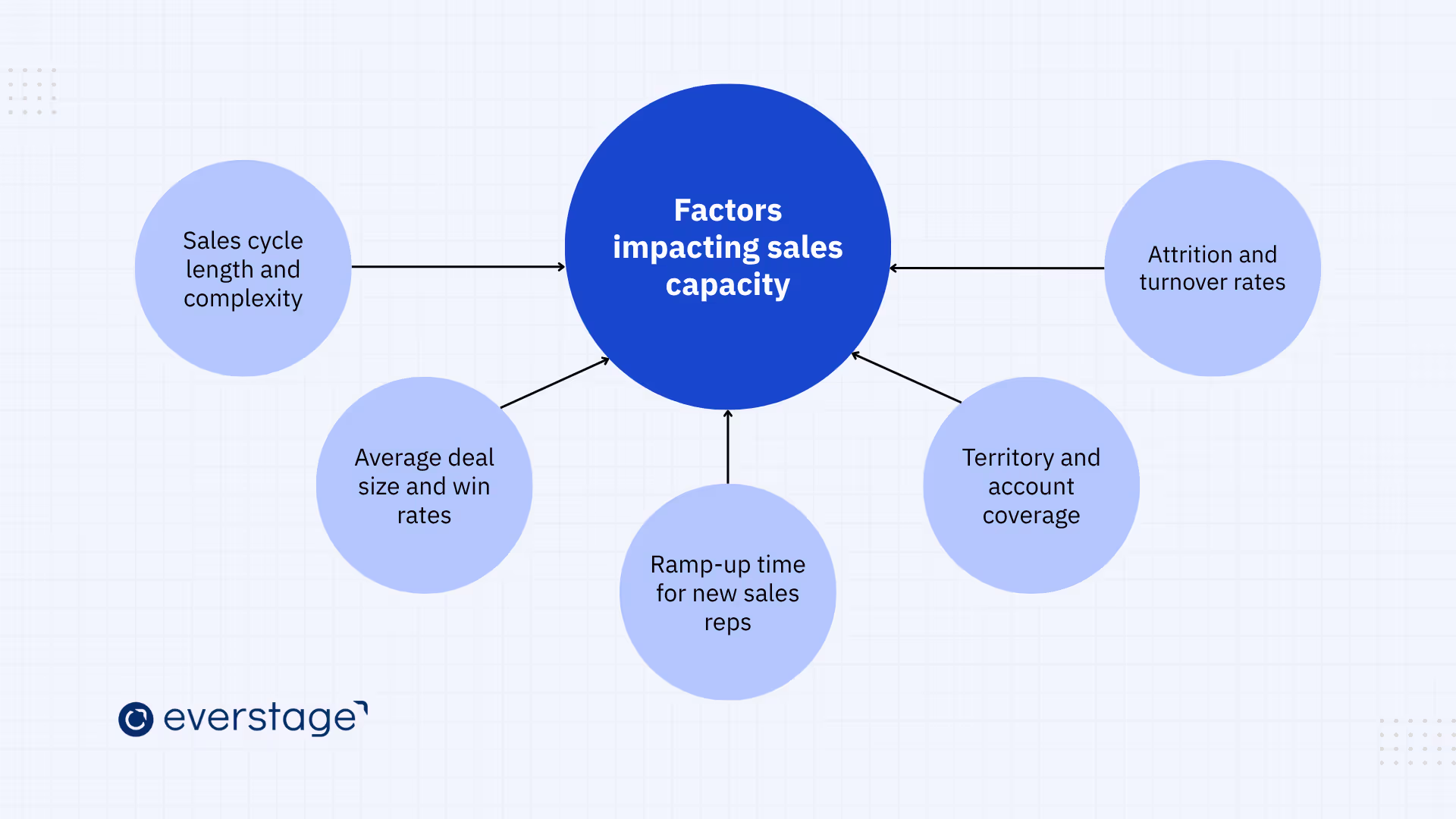
Effective capacity planning reaches past headcount and quota math. To optimize team performance and resource allocation, RevOps and Finance teams must account for the internal and external factors that shape workload and required headcount.
1. Sales Cycle Length and Complexity
Sales cycle length and complexity rank among the biggest factors in sales capacity. A sales cycle measures the time a lead takes to become a closed deal, and complexity counts the steps and decision-makers involved.
A longer, more complex sales cycle generally requires more resources to maintain a full and active pipeline.
Teams that overlook long or complex cycles miscalculate the reps they need. If you assume reps close at a steady pace and ignore the extra time deals take across stages, you end up short-staffed.
A longer cycle may call for extra support staff, like account managers or customer success reps, to keep deals moving.
Analyzing your cycle length and complexity confirms you hold enough capacity to keep deals moving and spare reps from overload.
2. Average Deal Size and Win Rates
Deal size and win rates directly affect how many reps you need to meet your revenue targets. Larger deals and higher win rates typically require fewer reps to hit revenue goals.
Smaller deal sizes or lower win rates may require more reps to generate the same revenue.
When you adjust capacity for deal size and win rate, you avoid two traps. You stop flooding the team with low-value deals, and you stop under-resourcing high-value opportunities. Inaccurate assumptions push you into overstaffing or understaffing, and both harm revenue.
To optimize capacity, account for your average deal size and win rate. High-value products suit a smaller, highly skilled team that handles larger deals. A higher volume of smaller deals suits a broader team built for lead generation and fast closing.
3. Ramp-up Time for New Sales Reps
Ramp-up time measures how long a new rep takes to become fully productive and generate revenue. New hires need time to learn the product and study the market, then build relationships and adapt to the process.
This transition varies with the sales process complexity and the training provided, plus the rep's experience.
Ramping up new reps takes time and trims your team's capacity during that window. Teams that ignore this transition risk overloading current staff or arriving underprepared to scale.
Capacity planning should project new-hire ramp time, especially during fast growth. Forecast how long reps take to reach full productivity, then adjust headcount and revenue expectations.
A thorough onboarding and training program shortens ramp time and brings capacity online sooner.
4. Territory and Account Coverage
Territory and account coverage drive how many reps you need to meet demand. Larger or fragmented territories require more resources for adequate coverage. Reps in broad regions or competitive markets need more support, such as extra reps or more time per account.
When territory and account mapping stays accurate, teams avoid two failures. They stop crowding regions with too many reps, and they cover key accounts well. Poor mapping sparks internal competition or leaves prospects unconverted in underserved regions.
Everstage Planning helps here. Sales leaders model territories by geography and industry, plus account potential and customer segments. They then test whether coverage stays balanced before the plan goes live.
Connecting territory design to capacity assumptions and quota rollout helps teams sidestep overstaffing and undercoverage. Everstage Planning balances territories fairly, so reps land the right accounts based on expertise and market potential.
Capacity models should map territories and account coverage in detail, giving reps full coverage without stretching them thin. Assign account tiers by deal potential and optimize territories, so the team handles high account volume while keeping quality high.
Everstage Planning lets you simulate scenarios and test territory structures, then adjust before you execute. Your sales resources stay aligned with business goals.
5. Attrition and Turnover Rates
Attrition and turnover directly cut your team's effective capacity. High turnover raises hiring and training costs, and it disrupts the pipeline when reps leave mid-cycle.
Departing reps open coverage gaps that erode team productivity and stability.
According to Hubspot's 2025 Sales Trends Report, 26% of sales professionals say a performance-based incentive structure motivates reps and lifts productivity. Strong incentives keep reps engaged, which helps reduce turnover.
A well-designed incentive structure boosts satisfaction and keeps reps committed to company goals.
High turnover distorts capacity planning by sapping the value of existing resources. When the model leaves turnover out, forecasts skew, and you overestimate available resources or miss hiring needs.
Account for turnover and attrition when you calculate capacity. Use your historical turnover rate to plan new hires or reallocate existing reps.
Addressing these factors early lets sales leaders optimize resources and scale efficiently for sustainable growth.
Common Sales Capacity Planning Mistakes to Avoid
Even strong models break down when these mistakes go unchecked. Watch for the errors below, and apply the fix for each.
- Treating all reps as equally productive: Model productivity by segment and role, not a single blended average.
- Ignoring ramp time for new hires: Build ramp curves into the plan so new hires contribute partial capacity early on.
- Not accounting for attrition: Add an attrition buffer from historical turnover so coverage gaps stay predictable.
- Using annual averages for seasonal businesses: Adjust capacity for peak and slow periods instead of spreading it evenly.
- Planning headcount without territory data: Tie headcount to territory potential and coverage to keep regions balanced.
- Setting quotas before validating capacity: Confirm the team can carry the quota before you roll it out.
- Managing capacity in disconnected spreadsheets: Static spreadsheets break the moment assumptions change.
That last mistake shows up most. When headcount, territory, and quota planning live in separate files, one change breaks every downstream plan. Everstage Planning connects these workflows, so teams update assumptions without rebuilding the model from scratch.
Why Connected Planning Matters
Sales capacity planning tools span CRM systems and FP&A platforms, plus spreadsheets and dedicated planning software. Each carries limits. Static spreadsheets break when assumptions change. CRM-only workflows supply pipeline and activity data but skip scenario modeling. Disconnected FP&A models handle financial inputs while missing territory and quota design.
A connected workflow brings four advantages. It unifies planning across headcount, territory, and quota. It runs scenario modeling against historical performance. It aligns quotas and territories fairly. It connects Sales, RevOps, and Finance. Everstage Planning links headcount, territory, quota, and capacity planning in one system instead of stitching separate tools together.
Turn Sales Capacity Planning Into an Actionable Growth Plan
Are you confident your sales team holds the right capacity to meet demand without overextending? Effective planning aligns headcount, quotas, and territories with revenue targets and sales cycle realities. For CROs, capacity planning validates whether the revenue target is executable, based on productive capacity and quota-bearing headcount.
Capacity planning keeps moving. Revisit your models each quarter or half-year to spot gaps, shift resources, and respond to market changes before they hurt performance. Factoring in ramp time and territory coverage, plus workload balance, builds a scalable team and prevents overassigned quotas.
A strategic approach lets you forecast headcount needs, optimize territories, and assign fair quotas that match real sales potential. Everstage Planning centralizes siloed data and automates quota rollouts, with scenario modeling to test multiple strategies.
See how Everstage Planning helps RevOps and Finance teams centralize planning data and model headcount scenarios, then balance territories and roll out quotas without spreadsheet chaos. Book a demo today.
Questions worth asking
The things most people want to know before they commit.
What are the three strategies for capacity planning?
The three core strategies are lead, lag, and match. A lead strategy hires ahead of demand to prepare for growth. A lag strategy hires after demand proves out, cutting cost while risking missed revenue. A match strategy adds capacity step by step as demand rises. Most scaling teams choose lead or match to cover ramp time before new reps turn productive.
How do you calculate the number of sales reps needed to hit a revenue target?
Divide the revenue target by adjusted revenue capacity per rep, which is average revenue per rep × capacity utilization. A $5M target with $240K adjusted capacity per rep needs about 21 fully productive reps. Then adjust upward for ramp time and attrition, so enough productive reps sit in seat when needed.
How does ramp time affect sales capacity planning?
Ramp time lowers a new hire's contribution until they reach full productivity, usually across one to two quarters. Ignore ramp, and you overestimate near-term capacity and miss targets. Build ramp curves into the model and hire ahead of demand, so new reps are productive when revenue is due.
What is the difference between sales forecasting and sales capacity planning?
Sales forecasting predicts revenue from historical data and market trends. Sales capacity planning confirms you have the salespeople and resources to meet that forecast. It aligns your team's size and skills with predicted demand.
Can small businesses benefit from sales capacity planning?
Yes, small businesses gain a lot from capacity planning. Even a small team needs the right number of salespeople to meet demand. Basic headcount models help you avoid over-hiring and under-hiring, so resources land where they count.
How does sales capacity planning improve team performance?
Capacity planning improves performance by putting the right number of reps in place to meet demand without overload. It surfaces skills gaps, so you allocate resources where they matter most. The result is stronger quota attainment and higher productivity.