

Best Sales Commission Software forWorkday Integration in 2025

Choosing the best sales commission software for Workday integration isn’t just about syncing employee data. It’s about ensuring every sales payout aligns with up-to-date roles, eligibility, and compliance. Unlike traditional standalone HR or CRM platforms, Workday-driven organizations depend on accurate people-data connections to avoid costly errors in sales compensation.
That makes commissions significantly more complex: eligibility can change mid-period, territory moves must be tracked instantly, and HR events often require payout reversals or adjustments.
What do we mean by Workday integration?
When we say Workday integration, we mean commission solutions that directly connect to Workday HRM, syncing payee records, roles, and eligibility updates for precise sales compensation.
Why Workday-integrated companies need
specialized commission software
Managing commissions for Workday-integrated teams is uniquely complex because every change in HRM data can instantly affect payout eligibility and compliance. That reality introduces four hard problems:
Real-time HRM data sync
Changes in payee status, roles, or employment dates must be instantly reflected. Delays can result in ineligible payouts or compliance issues.
Frequent eligibility changes
Workday-driven organizations experience regular onboarding, promotions, and exits. Without automation, manual errors and missed adjustments are common in sales comp.


Audit and compliance demands
Regulated companies need clear, traceable links between HR events and compensation decisions. Without specialized software, audit trails are incomplete and risk grows.
Complex org structures
Large sales teams with matrixed reporting, overlays, and frequent territory changes require flexible systems. Manual updates often break under this complexity.
Every month without specialized commission software means missed accuracy, wasted hours, and lost trust. In Workday-integrated environments, that’s growth you can’t afford to lose.
Key Features to Look for in Sales Commission
Software for Workday Integration
Real-time Workday HRM sync
Ensures all payee records, roles, and eligibility data are always current. Payouts remain accurate across frequent HR changes.
Automated eligibility handling
Reflects onboarding, offboarding, promotions, and leaves from Workday automatically. This eliminates manual work and reduces payout errors.
Flexible integration with CRM
Connects sales activity from systems like Salesforce or HubSpot with Workday payee data. Compensation calculations stay seamless and accurate.
Granular audit trails
Tracks every change from HRM to commission payout. This supports compliance and enables fast dispute resolution for mid-market and enterprise teams.
Customizable compensation logic
Handles splits, overlays, multi-role assignments, and territory changes. This matches the complex sales org structures common in Workday-driven companies.
Self-serve plan design tools
Lets Sales Ops and Finance update comp plans quickly without IT support. All changes sync back to Workday for full alignment.
Transparent payee dashboards
Provides real-time visibility to payees on earnings, attainment, and adjustments. This builds trust and reduces disputes.
Secure, scalable architecture
Supports high-volume data syncs and strict access controls. This meets enterprise security and compliance requirements in Workday environments.
The right commission software does not just process payouts. It aligns Workday-integrated teams around growth and scale.
Best Sales Commission Software for Workday Integration in 2025 (Detailed Comparison)
Ranked 1 to 10 👉🏻
1. Everstage


Overview
Purpose-built for Workday integration. Deep HRM sync and automated eligibility updates ensure compliance and accuracy for enterprise teams.
Watch-outs for Workday integration
Built on modern architecture, which is proven for Workday, but may feel different from older HR or legacy comp systems.
2. Xactly

Overview
One of the oldest players in ICM. Long history of serving customers across industries with a legacy platform known for its quirks.
Watch-outs for Workday integration
Old tech, heavy implementations, rigid workflows, and expensive licenses. Workday integration is less flexible and slower to adapt.
3. Performio
Overview
Known mainly for configurable rule-building and audit features which other vendors have also caught up with.
Watch-outs for Workday integration
Requires admin involvement and manual logic setup. Slower time to value and limited out-of-the-box Workday connectors.
4. Varicent
Overview
A legacy vendor, spun out of IBM and re-established in 2019. Offers territory and quota management.
Watch-outs for Workday integration
Complex to implement and resource-intensive to maintain. Can be overkill for scalable automation in Workday-led environments.
5. Anaplan
Overview
A planning platform where sales compensation is one of many use cases, not its core focus. Widely used for FP&A and modeling.
Watch-outs for Workday integration
Not commission-native. Requires specialized admin overhead and complex setup for reliable Workday sync.
6. CaptivateIQ
Overview
Positioned as a flexible commission tool with spreadsheet-like workflows. Mainly preferred as a stop-gap solution before moving to true-ICM platforms.
Watch-outs for Workday integration
Manual workarounds required for plan changes and limited built-in Workday intelligence. Integration is less seamless.
7. Spiff
Overview
Acquired by Salesforce in 2024. Sold currently as an add-on product of Salesforce Sales Cloud.
Watch-outs for Workday integration
Acquisition raised concerns about cost and rollout delays. Support for Workday integration is not as deep as needed for large teams.
8. SAP Commissions
Overview
Formed by SAP’s acquisition of CallidusCloud. Recently mandated migration of architecture leading to churn.
Watch-outs for Workday integration
Very heavy to implement and operate. Overbuilt and slow for Workday-driven companies seeking agility.
9. QuotaPath
Overview
A lightweight self-service tool designed for smaller teams. One step above spreadsheet tracking.
Watch-outs for Workday integration
Lighter integrations, simplified logic, and no CSMs. Struggles with Workday-specific scenarios and data complexity.
10. Qobra
Overview
European-founded platform positioned for SMBs. Offers basic automation and approval workflows.
Watch-outs for Workday integration
Narrower integration set and limited maturity in handling complex Workday HRM sync. Not suitable for high volume or advanced scenarios.
Why Everstage is a Strong Choice for Workday Integration
Everstage is purpose-built and proven for Workday integration, trusted by enterprise organizations using Workday HRM to reduce disputes, speed up payroll, and give payees real-time visibility. With deep Workday HRM sync and automated eligibility updates, it delivers the accuracy, transparency, and scale Workday-driven businesses need to grow without commission bottlenecks.
- Close payroll cycles in days, not weeks
- Slash commission disputes and finance escalations
- Give reps instant clarity on earnings
- Scale comp plans without adding headcount
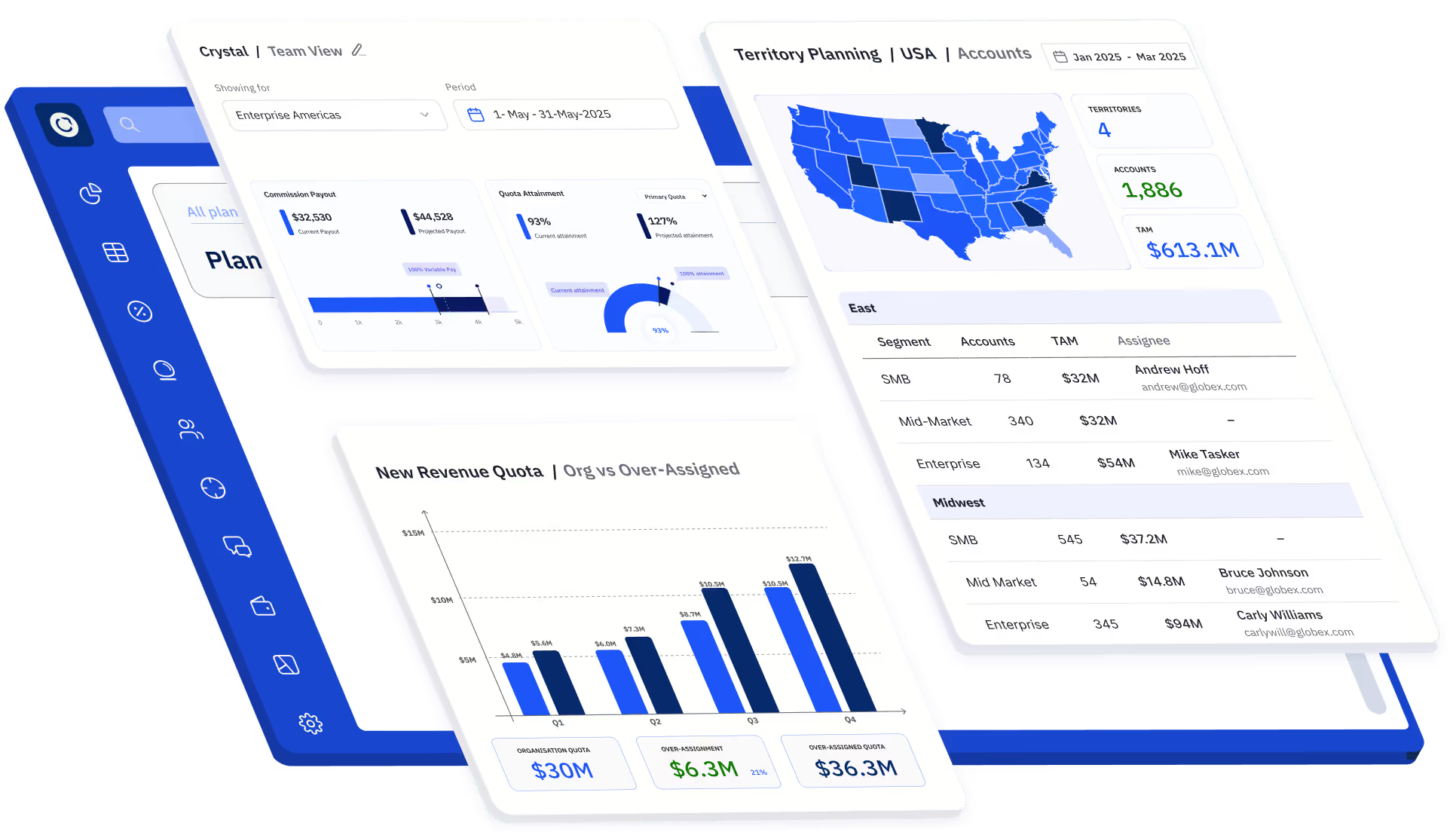
Everstage is trusted by Workday-integrated companies across all sizes








.webp)
What customers say
about Everstage


.webp)






How to Choose the Right Commission Software for Workday Integration
Selecting commission software cannot be reduced to a feature list. Workday-integrated teams need to weigh HRM integration, automation, compliance, audit trails, and scalability, and balance these against team bandwidth and future growth. Make the wrong choice, and you are back in spreadsheets within a year. If you want a broader view beyond Workday-specific needs, explore our roundup of the best commission management software to compare top platforms side by side.
We have analyzed the four common approaches: spreadsheets, custom builds, legacy tools, and modern platforms. We have outlined where each fits and where they fall apart. More importantly, we have broken down the evaluation criteria that Workday-integrated organizations must demand: scalable data infrastructure, admin-friendly plan design, real-time analytics, payee transparency, and strategic partnership.

I am about to evaluate commission software
Get the Buyer’s Guide to Sales Compensation Software, a step-by-step framework with Workday-specific checklists to cut through vendor claims and choose with confidence.

I am already evaluating multiple vendors
Grab this exclusive RFP template to compare solutions side-by-side. Share it with vendors or fill it yourself to see which platform fits your Workday requirements best.
The Future of Sales Compensation in Workday-Integrated Organizations
Workday-integrated enterprises are moving toward even more dynamic selling models, with frequent role changes, global territory management, and real-time eligibility updates driven by HR events. As compensation plans become more complex, systems must adapt to rapid onboarding, reorganizations, and compliance mandates. Static tools or spreadsheets cannot keep up with that pace, and sales comp systems must evolve in parallel.
The future belongs to commission platforms that combine automation with AI-powered intelligence. These platforms help sellers self-serve answers instantly, give RevOps and Finance anomaly detection and forecasting, and let leaders test plan changes before rollout.
Everstage is leading that shift by reshaping sales performance management for Workday-integrated organizations, giving teams the accuracy, transparency, and speed they need to scale sales performance in an AI-driven world.
Book a demo to see how Everstage can help automate sales commissions for your Workday-integrated organization 👉
FAQ About Commission Software for Workday Integration
Does the commission platform integrate with Workday via REST API, Workday Studio, or a Workday-certified connector?
Three common patterns: a Workday-certified app from Workday Marketplace, a REST or SOAP API connection, or a custom build using Workday Studio. Certified apps need the least IT maintenance and survive Workday updates cleanly. API and Studio approaches offer flexibility but require ongoing internal upkeep.
How does the commission platform handle Workday's effective-dated changes, such as future-dated terminations or promotions?
Workday lets HR enter changes with future effective dates (a termination scheduled for next month, for example). Commission platforms should read those effective dates, not just current employee status, so future-dated terminations stop payouts automatically and future promotions take effect on the right date without manual intervention.
Can the commission platform pull data from Workday custom reports, or does it require direct access to Worker data?
Two main patterns. Pulling from a Workday Custom Report (RaaS) lets HRIS teams control which fields are exposed. Direct Worker API access is faster but needs broader security permissions. Most enterprises prefer the custom report approach for tighter control over what data leaves Workday.
How does the platform handle employees with concurrent jobs or multiple positions in Workday?
Workday supports workers with concurrent positions (one person, multiple jobs, sometimes different managers and cost centers). Strong commission platforms treat each position as a separate payee record with its own plan, while keeping the unified person view. Tools that assume one employee one record often miscalculate splits.
How are commission cost allocations sent back to Workday cost centers for financial reporting?
Commission expense should flow back to Workday with cost center, department, and GL account tagged correctly. Some platforms only push payout totals; better ones write back full allocation detail by position and cost center, so commission expense lands in the right place for management reporting and SOX.
What happens to the integration when Workday tenants are refreshed or upgraded?
Workday runs two major updates per year and refreshes sandbox tenants regularly. Workday-certified apps are tested against each release and update automatically. Custom-built integrations often need rework after each release. Ask vendors how they handle Workday's biannual updates and whether sandbox refreshes break the connection.